


Upgrading an HPE ProLiant server is rarely just a parts swap. It is a chance to fix bottlenecks, add resilience, and extend the useful life of a platform that already supports core business systems.
For most IT teams, the real challenge is not deciding whether to upgrade. It is choosing the right mix of memory, storage, and RAID so the server performs better without creating compatibility issues, wasted budget, or avoidable downtime.
That is especially true with Gen10 and Gen11. The move to DDR5, broader NVMe support, newer controller options, and different expansion capabilities means upgrade planning needs to be more deliberate than it was in earlier refresh cycles.
Why Upgrading HPE ProLiant Gen10 and Gen11 Servers Matters

A well-planned upgrade can improve application response times, increase VM density, shorten backup windows, and strengthen fault tolerance. It can also delay a full platform replacement, which matters when organizations are balancing cost control with rising workload demands.
In many enterprise refresh cycles, HPE systems are evaluated alongside Dell Technologies and Lenovo. But for teams already standardized on ProLiant, the better question is often how to modernize the server you have before replacing it outright.
That is why memory, storage, and controller choices should be made together, not one at a time. A faster RAID path with underpopulated memory will still leave performance on the table. More capacity without endurance planning can create a new risk point. And a storage refresh without firmware validation can turn a simple upgrade into an outage event.
Teams planning broader infrastructure changes often align server decisions with their overall data center strategy so upgrades fit power, cooling, and lifecycle goals instead of solving only the immediate issue.
Gen10 vs Gen11: Key Upgrade Differences
Gen10 and Gen11 may look similar from a rack-level view, but the upgrade path is not the same.
Feature | HPE ProLiant Gen10 | HPE ProLiant Gen11 |
|
Memory platform |
DDR4 |
DDR5 |
|
Typical memory speeds |
Up to 2666 MT/s on Gen10, up to 3200 MT/s on Gen10 Plus models |
Up to 4800 MT/s or 5600 MT/s depending on platform and CPU support |
|
PCIe generation |
PCIe Gen3 on many Gen10 systems, PCIe Gen4 on Gen10 Plus |
PCIe Gen5 on many mainstream Gen11 platforms |
|
RAID ecosystem |
Smart Array family |
Compute MR and newer SR controller options, depending on model |
|
Storage emphasis |
SAS/SATA with growing NVMe support |
Stronger NVMe adoption and more tri-mode flexibility |
|
Upgrade priority |
Extending useful life and filling bottlenecks |
Higher-performance modernization and future-ready expansion |
Memory Platform Changes
Standard Gen10 systems use DDR4, while Gen11 systems move to DDR5.
This matters because memory bandwidth affects more than raw benchmark scores. It influences VM consolidation, database throughput, analytics jobs, and application responsiveness under load.
DDR5 memory can provide up to 50% more bandwidth than DDR4, which makes the Gen10-to-Gen11 transition especially relevant for organizations upgrading HPE ProLiant servers for virtualization, database, and performance-intensive workloads.
For organizations evaluating next-step platform planning, ongoing supply conditions around DDR5 availability can also affect timing and budget decisions.
Storage Interface and Drive Support Changes
Gen10 systems are often built around SATA and SAS, with NVMe added in more selective ways depending on chassis, backplane, and controller support.
Gen11 expands the conversation because more models are designed with stronger NVMe support and broader mixed storage options.
RAID and Controller Ecosystem Changes
Gen10 is strongly associated with HPE Smart Array controllers. Gen11 introduces HPE Compute MR controllers and related newer controller families, reflecting a shift toward tri-mode support, mixed RAID and JBOD use cases, and higher bandwidth designs.
PCIe and Expansion Differences
Gen10 servers can range from PCIe Gen3 to Gen4 depending on whether the platform is standard Gen10 or Gen10 Plus.
Gen11 takes that further with mainstream Gen5 support on many systems, which affects not just storage cards but NICs, accelerators, and future expansion choices.
How to Choose the Right Memory Upgrade

Memory upgrades should start with the workload, then move to platform rules.
DDR4 vs DDR5 Considerations
DDR4 remains practical for Gen10 upgrades when the goal is to extend life, increase VM headroom, or improve multitasking at a controlled cost. DDR5 is the better fit for Gen11 when higher bandwidth, newer CPU support, and longer-term expansion are priorities.
Capacity Planning by Workload
Use case should drive the target capacity:
- Virtualization hosts: prioritize total memory first because VM density is often limited by RAM before CPU.
- Database servers: balance capacity with speed and low-latency storage.
- File and backup servers: focus on enough cache and system memory to support metadata, indexing, and transfer efficiency.
- General infrastructure: size for steady-state use plus reasonable growth.
Speed, Rank, and Population Rules
Even the right DIMMs can underperform if they are populated poorly. Match supported speeds to the CPU and server model, keep DIMM ranks consistent where possible, and distribute memory evenly across channels.
Common Memory Upgrade Mistakes to Avoid
Common mistakes include:
- Mixing unsupported DIMM types
- Assuming higher-speed DIMMs will always run at rated speed
- Leaving channels unevenly populated
- Buying capacity without checking CPU support limits
- Ignoring firmware requirements for memory recognition
How to Choose the Best Storage Upgrade

Storage upgrades should be based on data access pattern, not just raw capacity.
|
Storage Type |
Best Use |
Strengths |
Tradeoffs |
|
SATA SSD/HDD |
Boot, archive, light-duty workloads |
Lower cost, broad compatibility |
Lower performance |
|
SAS SSD/HDD |
Enterprise primary storage, mixed workloads |
Better reliability and queue handling |
Higher cost than SATA |
|
NVMe SSD |
Virtualization, database, analytics, high-IOPS workloads |
Very low latency, high throughput |
Requires compatible bays, backplane, and controller path |
SATA vs SAS vs NVMe
SATA works well for lower-cost boot or capacity-focused use. SAS remains strong for enterprise reliability and managed performance. NVMe is the clear choice when latency and throughput are central requirements.
Boot Drives vs Primary Storage
Boot media should be separated from primary data storage where practical. Mirror the boot volume with RAID 1 for operational resilience, then build the application or data tier separately based on workload needs.
For larger environments managing broader storage planning, this separation makes troubleshooting and lifecycle replacement easier.
Read-Heavy vs Write-Heavy Workloads
Not all SSDs should be treated the same. Read-heavy workloads can use lower-endurance drives economically, while write-heavy environments need stronger endurance ratings.
In that context, an enterprise manufacturer such as Seagate may come up in capacity and endurance discussions, but the main decision point should still be workload profile and validated compatibility rather than brand.
Capacity vs Performance vs Endurance
The best storage upgrade usually balances all three, not just one. Large nearline capacity helps backup and archive jobs, but primary transactional workloads usually benefit more from lower latency and stronger endurance than from adding raw terabytes alone.
Best RAID Options for HPE ProLiant Gen10 and Gen11
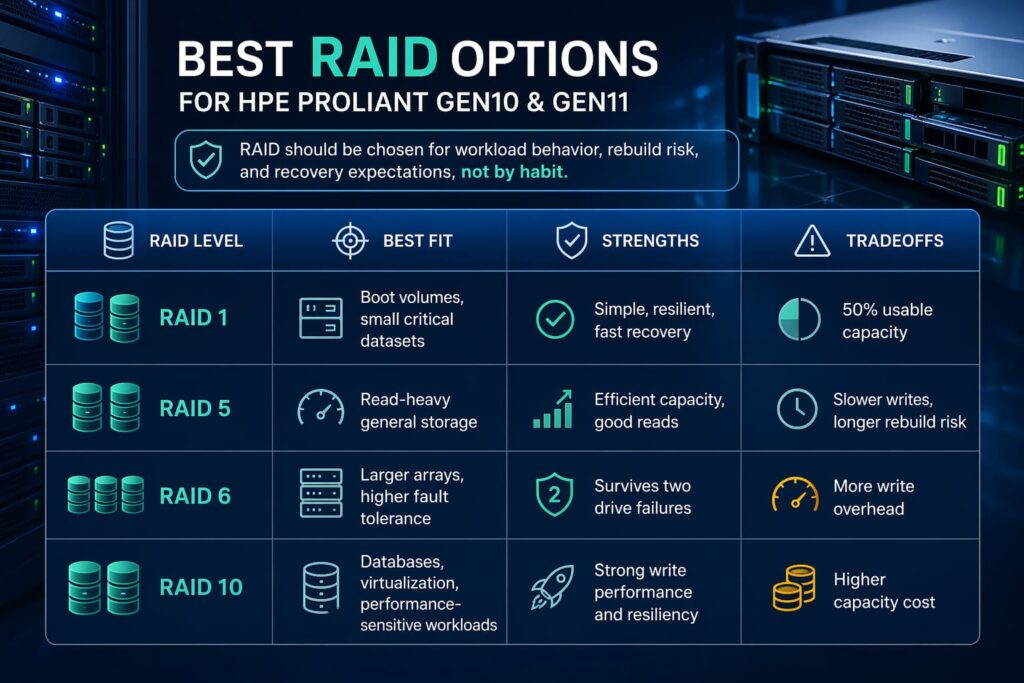
RAID should be chosen for workload behavior, rebuild risk, and recovery expectations, not by habit.
|
RAID Level |
Best Fit |
Strengths |
Tradeoffs |
|
RAID 1 |
Boot volumes, small critical datasets |
Simple, resilient, fast recovery |
50% usable capacity |
|
RAID 5 |
Read-heavy general storage |
Efficient capacity, good reads |
Slower writes, longer rebuild risk |
|
RAID 6 |
Larger arrays, higher fault tolerance |
Survives two drive failures |
More write overhead |
|
RAID 10 |
Databases, virtualization, performance-sensitive workloads |
Strong write performance and resiliency |
Higher capacity cost |
When RAID 1 Makes Sense
RAID 1 is still one of the best choices for boot drives and smaller critical datasets. It is simple, proven, and easy to recover.
When RAID 5 or RAID 6 Makes Sense
RAID 5 works well for read-heavy business applications where capacity efficiency matters. RAID 6 is the safer pick when drives are larger and rebuild windows are longer, especially in environments where availability matters more than write speed.
According to Uptime Institute’s annual resilience survey, 54% of organizations said their most recent serious outage cost more than $100,000, which helps explain why RAID planning, storage redundancy, and pre-upgrade validation are critical in server upgrade projects.
When RAID 10 Is the Better Choice
RAID 10 is the better option for write-intensive databases, virtualization clusters, and performance-sensitive mixed workloads. It costs more in usable capacity, but it reduces compromise.
Software RAID vs Hardware RAID vs VROC
Software RAID can be acceptable for limited, cost-sensitive use cases. Hardware RAID is still the more predictable enterprise choice for many HPE ProLiant deployments.
VROC and platform-specific options may fit some NVMe designs, but they should only be used after validating model support, firmware level, and operational requirements.
Choosing the Right HPE RAID Controller
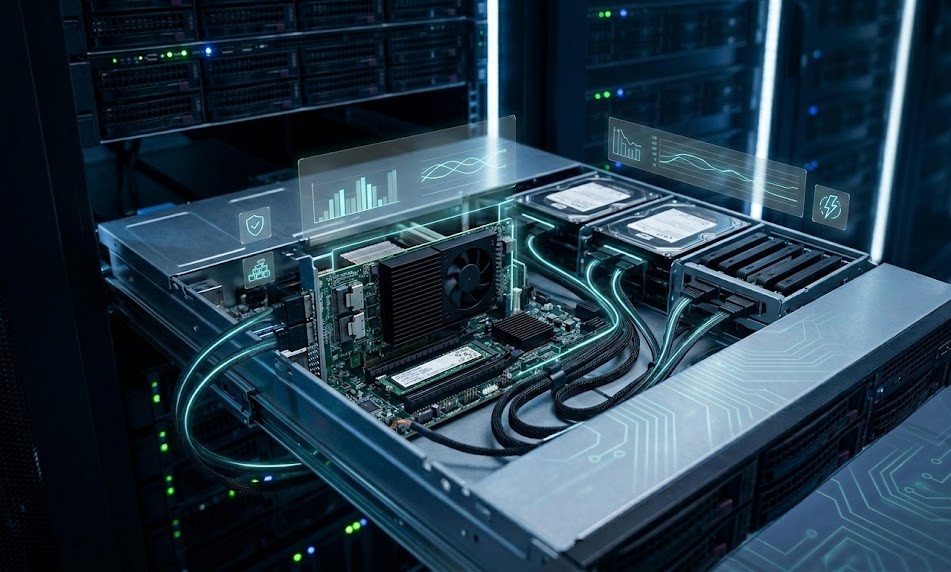
Controller selection should match both current needs and likely future growth.
Smart Array Options for Gen10
Gen10 systems commonly rely on Smart Array controllers, and they remain the standard choice for many SATA and SAS RAID deployments. For teams extending existing Gen10 infrastructure, a controller such as the Gen10 RAID card fits naturally into storage refresh planning when the server model supports it.
Compute MR Controller Options for Gen11
Gen11 introduces HPE Compute MR controllers, which are designed around mixed RAID and JBOD operation, stronger bandwidth capability, and broader support for modern storage configurations.
When to Use HBA or JBOD Instead of RAID
An HBA or JBOD approach makes sense when storage is being managed by software-defined platforms, backup appliances, or external applications that do their own protection layer. That can be relevant for backup targets or appliance-style deployments where tools like Veeam or Commvault sit above the disk layer.
Cache, Bandwidth, and Future Expansion Considerations
Look beyond today’s drive count. Check controller cache policy, host interface speed, lane count, and whether the server may later move to more NVMe, larger arrays, or different workload tiers.
Recommended Upgrade Paths by Server Use Case
Virtualization Hosts
Prioritize memory capacity first, then low-latency storage. For Gen11, DDR5 and NVMe can materially improve consolidation efficiency. If the environment is part of an HCI stack, a brief Nutanix alignment check may also be worthwhile.
Database Servers
Choose RAID 10 more often than RAID 5, favor enterprise SSDs with stronger write endurance, and avoid uneven memory population. Databases rarely reward budget-first compromises.
File Servers and Backup Servers
Focus on usable capacity, redundancy, and rebuild planning. RAID 6 is often more practical than RAID 5 for larger-capacity arrays. Backup platforms tied to Veeam or Commvault also benefit from validating ingest patterns before choosing drive type.
SMB General-Purpose Infrastructure
For smaller mixed-use environments, a practical path is mirrored boot drives, moderate RAM expansion, and a balanced SAS or NVMe primary tier depending on budget and application mix.
Gen10 and Gen11 Upgrade Compatibility Checks Before Buying
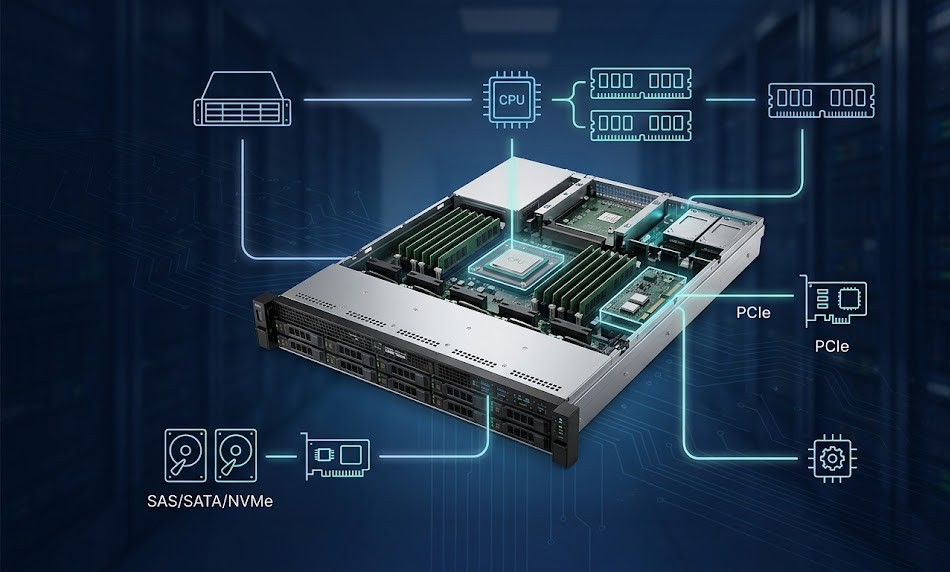
Server Model and Chassis Limits
Not every DL, ML, or Apollo chassis supports the same drive layouts, risers, or controller options. Always validate against the exact server model.
CPU and Memory Support Alignment
CPU generation determines more than cores. It affects supported memory type, maximum speed, and total capacity.
Backplane, Bay, and Controller Compatibility
Bays, cabling, backplanes, and controllers must align. This is where many otherwise sound upgrade plans fail.
Firmware and BIOS Requirements
Firmware matters before, during, and after the upgrade. If storage changes could affect backup or recovery windows, validate application compatibility first, especially in environments tied to recovery tooling.
Step-by-Step Upgrade Planning Checklist
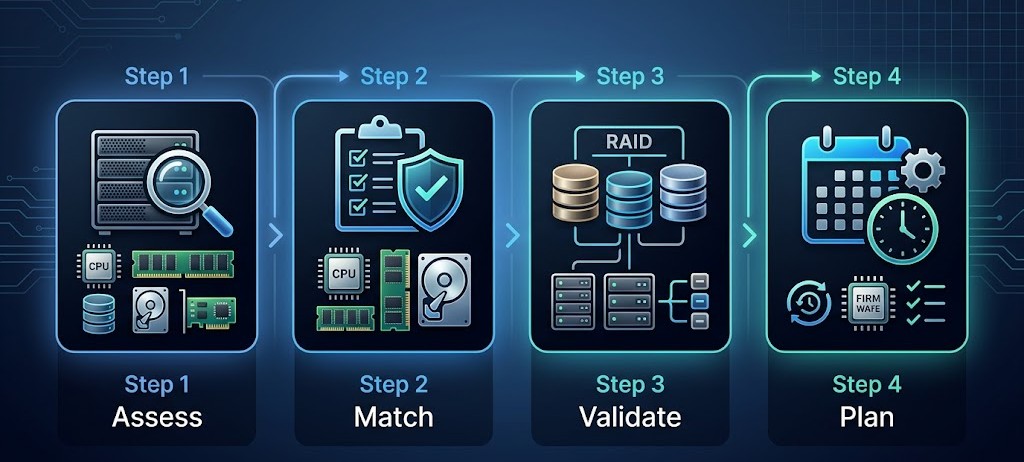
Assess Current Configuration
Document CPU, memory population, drive layout, controller model, firmware, and power profile.
Match Components to Supported Options
Use the exact HPE support matrix for the server model, not assumptions from a similar chassis.
Validate RAID and Drive Layout
Confirm bay mapping, lane support, RAID level, hot-spare policy, and rebuild expectations.
Plan Installation and Downtime
A simple checklist helps:
- Back up and verify restore readiness
- Export controller and system configuration
- Stage firmware before the hardware window
- Schedule rollback options
- Test the final configuration before production cutover
Common Upgrade Mistakes in HPE ProLiant Servers
Mixing Unsupported Memory
This is one of the most common causes of failed upgrades or reduced speed operation.
Choosing the Wrong RAID Level
Capacity-efficient RAID is not always business-efficient RAID.
Ignoring Thermal and Power Limits
More DIMMs, denser SSDs, and added controllers can change thermal load and power draw.
Overlooking Firmware Dependencies
Controller, BIOS, drive, and iLO firmware all need to be considered as part of one change set.
How to Get the Best Performance After the Upgrade
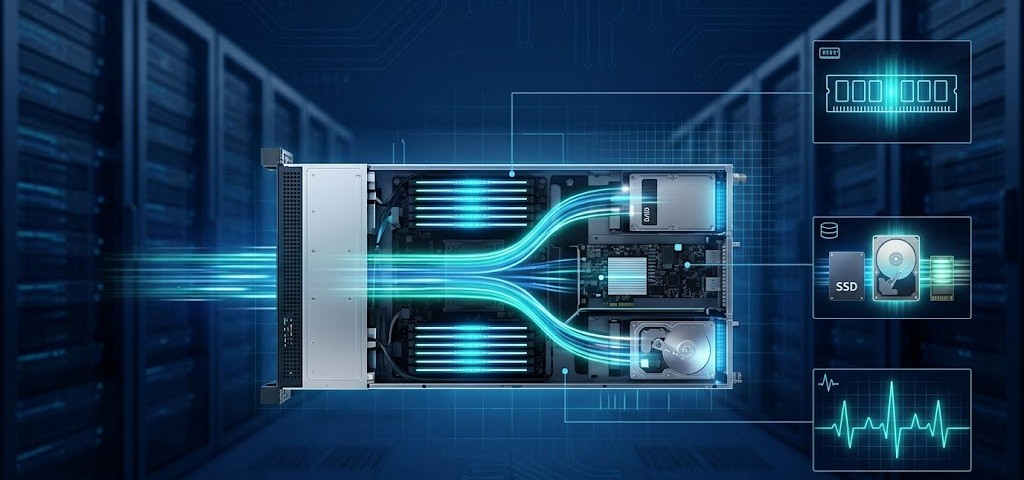
Balanced Memory Population
Populate channels evenly and avoid creating artificial bottlenecks through uneven DIMM layouts.
Storage Tiering Strategy
Use fast media where latency matters, and reserve high-capacity media for archive, backup, or lower-priority data.
Controller Configuration Best Practices
Set stripe and cache policies to match the workload. Keep firmware current and monitor rebuild behavior, latency, and error trends after the change.
Monitoring and Lifecycle Management
An upgrade should improve more than current performance. It should create a cleaner path for future maintenance, expansion, and replacement. That usually means standardizing configurations, keeping spare capacity, and aligning the server with the wider infrastructure stack.
Conclusion
Upgrading HPE ProLiant Gen10 and Gen11 servers works best when memory, storage, RAID, and compatibility are planned together.
Gen10 upgrades usually focus on extending platform life with DDR4, Smart Array, and SAS or selective NVMe improvements. Gen11 gives IT teams access to DDR5, broader NVMe support, newer controller options, and more room for performance-driven growth.
The best results come from matching the upgrade path to the server’s actual workload. When planned carefully, the upgrade can improve performance, reduce risk, and extend infrastructure value.
Need Help Planning an HPE ProLiant Upgrade?
Catalyst Data Solutions Inc can help you evaluate compatible memory, storage, and RAID options for HPE ProLiant Gen10 and Gen11 servers and support sourcing or deployment planning.
FAQ
1. Can I upgrade HPE ProLiant Gen10 server memory with DDR5?
No. Gen10 servers use DDR4, while Gen11 platforms use DDR5.
2. Which RAID level is best for HPE ProLiant servers?
It depends on the workload. RAID 1 is good for boot drives, RAID 5 or 6 works for general storage, and RAID 10 is best for high-performance workloads.
3. Is NVMe better than SAS for HPE ProLiant upgrades?
NVMe is better for speed and low latency. SAS is still a strong choice for balanced enterprise storage and reliability.
4. Do I need a new RAID controller when upgrading storage?
Sometimes. It depends on the server generation, drive type, backplane, and whether the current controller supports the new configuration.
5. What should I check before buying upgrade parts for Gen10 or Gen11?
Check server model, CPU support, memory compatibility, drive bay type, controller support, and firmware requirements.