



EOL vs EOS vs EOSL dates show where enterprise hardware sits in its commercial and support lifecycle. They do not usually indicate when a server, storage array, or switch will stop working.
These terms affect purchasing, maintenance, software updates, security planning, budgeting, and asset disposition. A disciplined OEM hardware sourcing process should verify each date before procurement or refresh decisions are approved.
Manufacturers also define the acronyms differently. Always confirm the exact model, software release, region, and contract on the OEM’s official website.
What Is the Difference Between EOL, EOS, and EOSL?
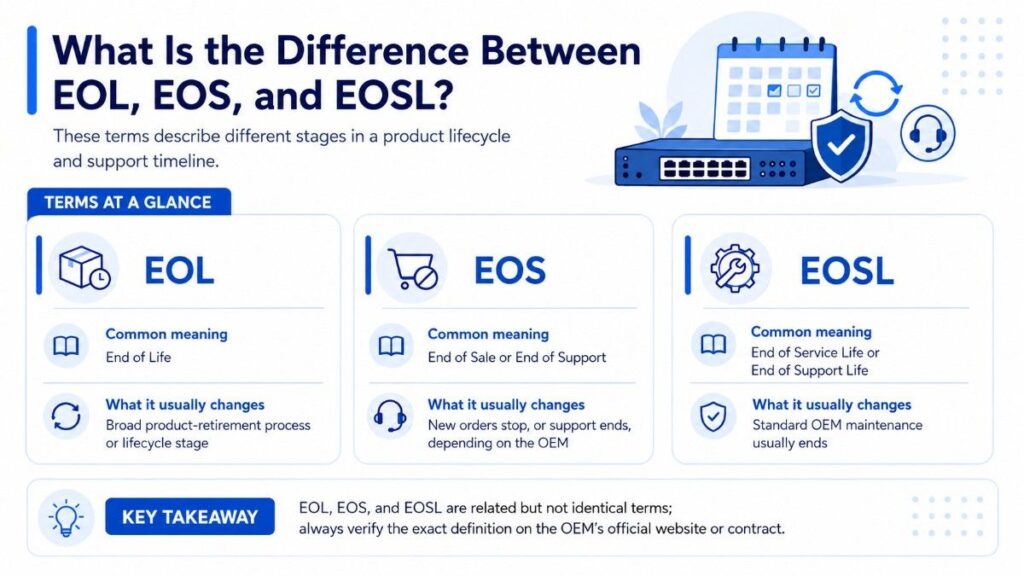
| Term | Common meaning | What it usually changes |
| EOL | End of Life | Broad product-retirement process or lifecycle stage |
| EOS | End of Sale or End of Support | New orders stop, or support ends, depending on the OEM |
| EOSL | End of Service Life or End of Support Life | Standard OEM maintenance usually ends |
The safest rule is simple: never make a hardware decision from the acronym alone. Read the product bulletin and identify the exact milestone it describes.
How Do Hardware Lifecycle Dates Progress?
A common hardware lifecycle follows this sequence:
Product launch → End of sale → End of software updates → End of support → Final disposition
The dates may overlap. An OEM can stop selling a platform while continuing replacement parts, technical support, firmware downloads, or security fixes for several years.
After support ends, an organization may replace, maintain, redeploy, resell, refurbish, or recycle the asset. Many older enterprise servers still have operational or market value after a refresh.
Product launch
The platform becomes available with current warranties, support contracts, software compatibility, and parts coverage.
End of sale
The manufacturer stops accepting normal orders. Existing systems may remain fully supported under valid contracts.
End of software updates
New firmware, drivers, bug fixes, features, or security patches become limited or stop.
End of support
The OEM ends standard maintenance, technical escalation, or replacement-part commitments.
Final disposition
The owner chooses reuse, resale, parts recovery, secure recycling, or another approved retirement path.
What Does EOL Mean for IT Hardware?
EOL usually means end of life. However, it often describes a retirement process rather than one shutdown date.
An EOL notice may list several milestones:
- Announcement date
- Last order date
- Last shipment date
- End of software maintenance
- End of security updates
- Last contract renewal
- Last date of support
For IT managers, the EOL label is less useful than the individual dates. Record each milestone separately in the asset register or configuration management database.
What Does EOS Mean?
EOS commonly means end of sale. Some vendors or product groups use it for end of support.
When EOS means end of sale, the product is no longer available through normal OEM ordering channels. It may still receive parts, warranty service, technical assistance, firmware, and security updates.
Cisco uses EOS for the date after which a product is no longer offered for sale. Its EOL policy separately identifies a final support date.
Dell Networking also distinguishes End of Sale from End of Standard Support. Its policy allows support availability after sales end, subject to product and contract terms.
IBM uses “Withdrawn from Marketing” for products no longer orderable and separately records development-support and standard-support milestones.
What Does EOSL Mean?
EOSL usually means end of service life or end of support life.
At EOSL, standard OEM hardware maintenance generally ends. Technical case handling, onsite repair, replacement parts, engineering escalation, firmware maintenance, or compatibility testing may no longer be available.
Some OEM product families separate hardware and software deadlines. HPE Aruba EdgeConnect, for instance, uses EoSL for the end of hardware maintenance and a separate software-support milestone.
This distinction matters because third-party maintenance can replace some hardware services. It cannot normally create proprietary firmware, security patches, or OEM software entitlements.
Is EOL the Same as EOSL?
No. EOL and EOSL should not be treated as interchangeable.
EOL may begin when the manufacturer announces retirement. EOSL usually identifies the later date when standard manufacturer service ends.
| Question | EOL stage | After EOSL |
| Can the equipment still operate? | Yes | Yes |
| Can OEM support remain available? | Often | Usually limited or unavailable |
| Can updates continue? | Possibly | Often limited |
| Must replacement happen immediately? | No | No |
| Can third-party support help? | Yes | Often |
| Can the asset retain value? | Yes | Yes |
Does Equipment Stop Working After EOSL?
No. EOSL does not normally disable hardware.
A server can continue running applications. A storage array can keep presenting volumes. A switch can continue forwarding traffic.
The change is supportability. Parts may become harder to obtain, unresolved defects may remain, and recovery time can become less predictable.
The correct question is not only, “Does it work?” Ask whether it remains secure, recoverable, compatible, supportable, and economical.
Can You Use Hardware After EOSL?
Yes, when the risks are documented and controlled.
Post-EOSL systems can remain suitable for development, testing, training, backup, disaster recovery, isolated workloads, or stable production environments with strong redundancy.
Continued use is easier to justify when:
- Performance remains adequate.
- Failure rates are stable.
- Tested spare parts are available.
- Third-party maintenance is credible.
- Backups and recovery are verified.
- The system is segmented.
- A retirement deadline exists.
Replacement becomes more urgent when the asset is internet-facing, business-critical, unsupported by required software, or subject to compliance rules demanding active vendor support.
Is EOSL Hardware a Security Risk?
EOSL hardware is not automatically insecure. Risk rises when firmware, operating software, or management tools no longer receive patches.
This is especially important for firewalls, VPN appliances, routers, hypervisor hosts, storage controllers, and remote-management interfaces.
Reduce exposure by:
- Applying the latest available firmware
- Restricting administrative access
- Disabling unused services
- Segmenting legacy equipment
- Monitoring known vulnerabilities
- Increasing logging
- Testing recovery procedures
- Setting a retirement date
Third-party hardware support can reduce downtime risk. It does not restore unavailable OEM security development.
Must Hardware Be Replaced Immediately at EOSL?
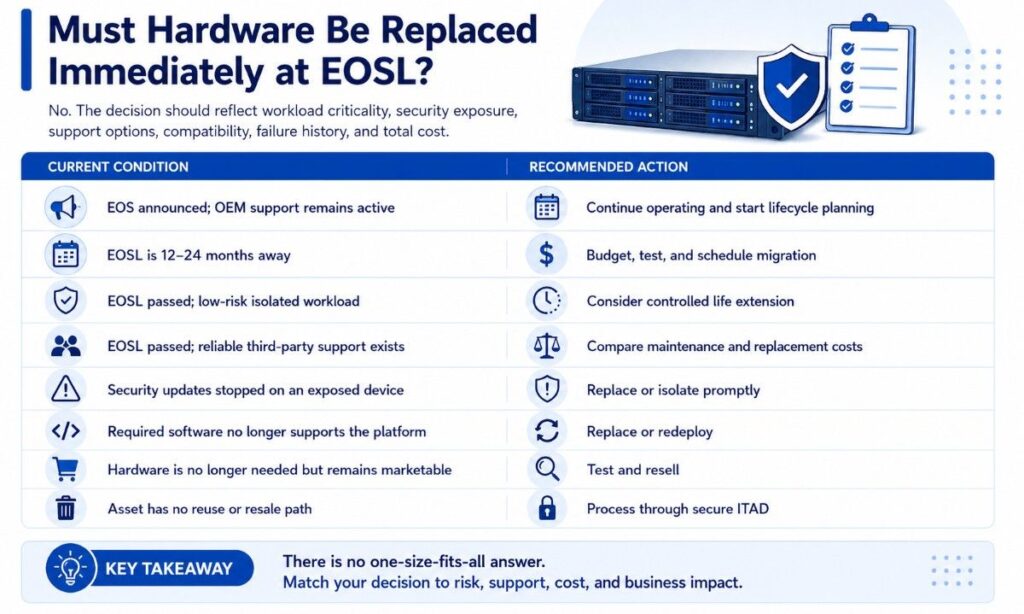
No. The decision should reflect workload criticality, security exposure, support options, compatibility, failure history, and total cost.
| Current condition | Recommended action |
| EOS announced; OEM support remains active | Continue operating and start lifecycle planning |
| EOSL is 12–24 months away | Budget, test, and schedule migration |
| EOSL passed; low-risk isolated workload | Consider controlled life extension |
| EOSL passed; reliable third-party support exists | Compare maintenance and replacement costs |
| Security updates stopped on an exposed device | Replace or isolate promptly |
| Required software no longer supports the platform | Replace or redeploy |
| Hardware is no longer needed but remains marketable | Test and resell |
| Asset has no reuse or resale path | Process through secure ITAD |
Can Third-Party Support Extend Useful Life?
Yes. Third-party maintenance can provide remote diagnostics, onsite labor, replacement components, spare-parts planning, and service-level agreements after OEM coverage ends.
It can help organizations avoid rushed migrations and align refresh work with budget cycles.
Before signing, confirm:
- Covered models and components
- Parts testing and availability
- Response and restoration times
- Technician qualifications
- Geographic coverage
- Data-bearing device procedures
- Escalation steps
- Exclusions and renewal terms
A strong server refurbishment process also improves confidence when replacement units or spare components come from the secondary market.
Can Refurbished Equipment Be Purchased After EOL?
Yes. Refurbished hardware can support capacity expansion, like-for-like replacement, clustering, legacy applications, or delayed migration.
Compare new versus refurbished hardware using total cost, warranty, support, energy use, compatibility, deployment time, and planned service life.
Check the exact part number, configuration, serial history, firmware requirements, included accessories, testing records, warranty, returns process, and licensing restrictions.
Refurbished does not mean unsupported. Some assets may remain eligible for OEM service, while others need third-party coverage.
Does EOL Hardware Still Have Resale Value?
Often, yes. Value depends on model demand, generation, processors, memory, drives, network interfaces, condition, configuration, accessories, and current secondary-market supply.
Complete, tested systems usually have more value than incomplete units. Rails, trays, caddies, controllers, power supplies, interface cards, and accurate configuration records can influence recovery.
Data-bearing devices must be sanitized before resale. A structured IT asset disposition plan helps preserve value while controlling data and compliance risks.
What Should a Company Do Before an EOSL Date?
Start planning 12–24 months before EOSL for critical infrastructure. Complex migrations may require application testing, procurement approval, contract changes, and several budget cycles.
Lifecycle-Date Checklist
Record:
- OEM, product family, model, and SKU
- Serial number or service tag
- End-of-sale date
- End-of-software-maintenance date
- End-of-security-support date
- Final OEM support date
- Contract expiration
- Firmware and operating system
- Workload owner and criticality
- Third-party support availability
- Parts availability
- Planned disposition date
Confirm all dates on the manufacturer’s website. Generic lifecycle databases can be useful for discovery, but model-level OEM documentation should control the decision.
Server-Refresh Checklist
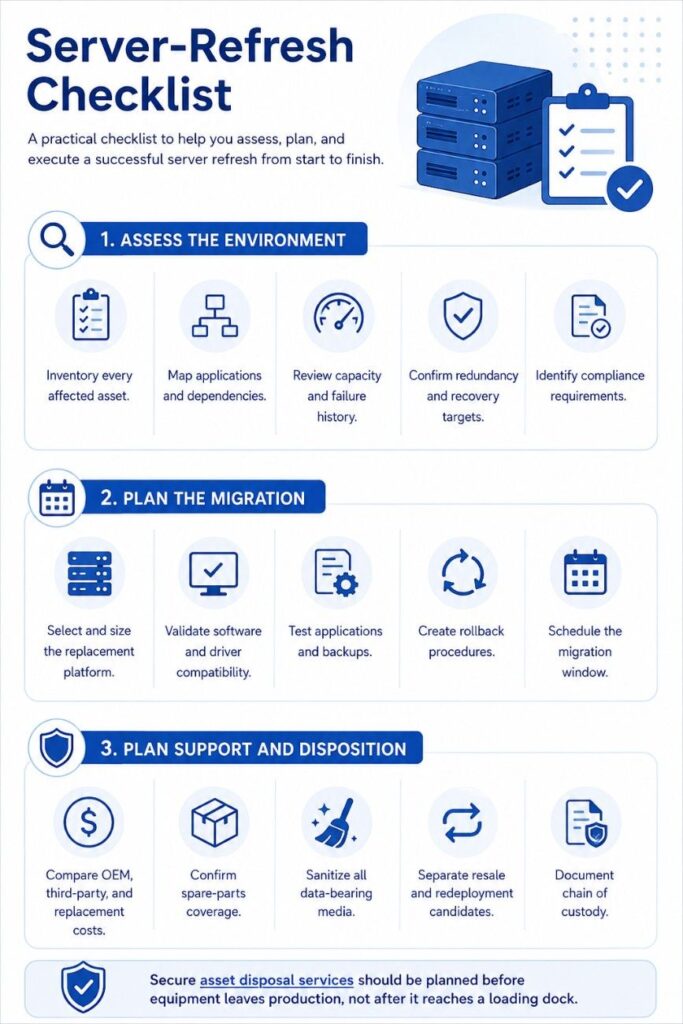
Assess the environment
- Inventory every affected asset.
- Map applications and dependencies.
- Review capacity and failure history.
- Confirm redundancy and recovery targets.
- Identify compliance requirements.
Plan the migration
- Select and size the replacement platform.
- Validate software and driver compatibility.
- Test applications and backups.
- Create rollback procedures.
- Schedule the migration window.
Plan support and disposition
- Compare OEM, third-party, and replacement costs.
- Confirm spare-parts coverage.
- Sanitize all data-bearing media.
- Separate resale and redeployment candidates.
- Document chain of custody.
Secure asset disposal services should be planned before equipment leaves production, not after it reaches a loading dock.
Sample Hardware Lifecycle Scenarios
EOS server with active support
The OEM has stopped selling the server, but support continues for three years.
Decision: Keep it in production when performance and security remain acceptable. Record the final support date and begin budgeting.
EOSL storage array used for backups
The array is isolated, reliable, and covered by third-party parts support.
Decision: A temporary extension may be reasonable. Maintain another tested backup copy and set a migration deadline.
Unsupported internet-facing appliance
A firewall no longer receives security updates.
Decision: Replace or isolate it quickly. Parts support cannot correct unpatched firmware vulnerabilities.
Functional servers after consolidation
Tested servers are removed during virtualization or data-center consolidation.
Decision: Evaluate redeployment, refurbishment, or resale before recycling.
How Should IT, Procurement, and Finance Decide?
IT should evaluate reliability, compatibility, recovery, and performance. Security should assess vulnerabilities and exposure. Procurement should validate support and sourcing options. Finance should compare capital cost, maintenance, energy, migration effort, downtime risk, and resale recovery.
Organizations with regulated or specialized environments should align lifecycle decisions with their industry infrastructure requirements.
A qualified enterprise hardware partner can support sourcing, maintenance, refurbishment, value recovery, and disposition across mixed OEM environments.
Final Takeaway
EOL, EOS, and EOSL are planning milestones, not automatic shutdown dates.
Hardware may remain useful after sales or OEM support ends. The decision depends on security updates, parts, support coverage, software compatibility, workload criticality, compliance, and total cost.
Confirm every lifecycle date on the manufacturer’s official website. Then choose replacement, support extension, redeployment, resale, or secure disposition based on documented business risk.
Need Help Managing Hardware Beyond EOL and EOSL?
Catalyst Data Solutions Inc helps organizations plan hardware refreshes, source replacement equipment, extend asset value, and manage secure retirement. Support covers new hardware, refurbished systems, hard-to-find components, redeployment, resale, and ITAD across mixed-vendor environments.
As a vendor-agnostic infrastructure partner, Catalyst helps IT, procurement, and finance teams compare cost, availability, support coverage, and lifecycle risk. This practical approach supports better decisions when budgets are tight, lead times are long, or OEM support dates are approaching.
FAQs
1. What is the main difference between EOL, EOS, and EOSL?
EOL usually refers to the product retirement process. EOS often means end of sale, while EOSL usually marks the end of standard manufacturer support.
2. Does hardware stop working after EOSL?
No. Hardware can continue working after EOSL. However, OEM support, replacement parts, firmware updates, and security patches may become limited or unavailable.
3. Can a company keep using hardware after EOSL?
Yes. Continued use may be suitable for low-risk, isolated, or non-critical workloads. The company should review security, reliability, support options, and recovery plans first.
4. Can third-party maintenance replace OEM support?
Third-party maintenance can provide parts, repairs, onsite service, and technical assistance. It usually cannot provide new OEM firmware, security patches, or proprietary software updates.
5. Does EOL hardware still have resale value?
Often, yes. Value depends on the model, condition, configuration, market demand, included components, and testing records. Secure data sanitization is essential before resale.