

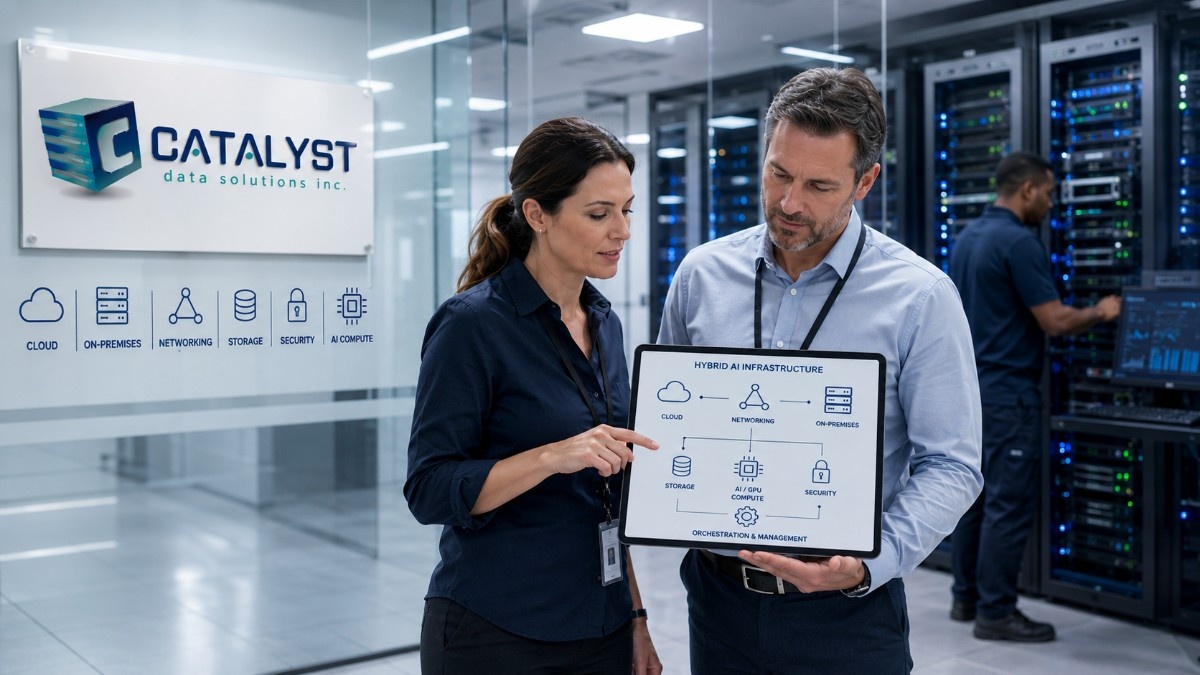
A practical move from a legacy data center to an AI-ready hybrid environment starts with the workload, data, facility, and operating limits not with a GPU purchase. First, assess the use case, data path, compute, storage, network, power, cooling, security, and support model.
Then stabilize the current environment, remove the bottlenecks that would limit a pilot, and decide where each workload should run: on-premises, in colocation, in the cloud, or across a hybrid design.
Existing systems can remain part of the plan when their role, support status, risk, and remaining life are clear. Scale only after a bounded pilot proves performance, cost, security, and operational readiness.
What does “AI-ready data center” mean?
An AI-ready data center can support a defined workload at an acceptable level of speed, uptime, security, cost, and effort. It does not mean every rack needs GPUs or every app must move.
The standard must match the workload. An internal RAG app has different needs from a model-training cluster. A small inference service may fit in a current virtual setup. A high-volume AI service may need faster storage, low-latency links, more rack power, and stronger cooling.
At Catalyst Data Solutions, we treat AI as one system. We align compute, data, storage, network, power, cooling, security, software, and operations to the workload. Current enterprise AI reference architectures use the same full-stack approach rather than treating accelerators as a stand-alone purchase.
Our enterprise data center solutions connect core data center choices with scale, speed, and facility needs.
Is your legacy data center ready to support AI workloads?
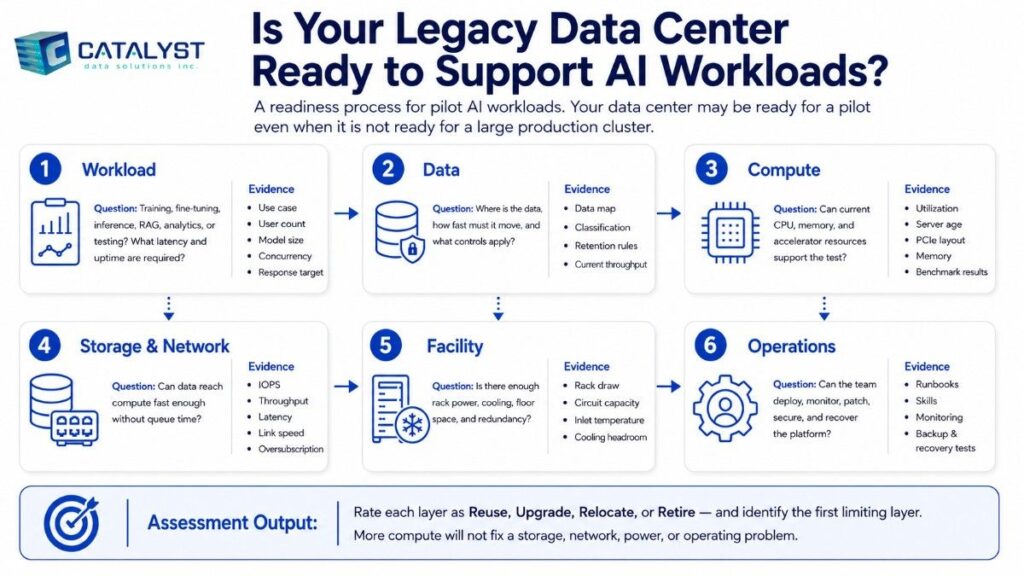
Your data center may be ready for a pilot even when it is not ready for a large production cluster.
| Readiness area | Questions to answer | Evidence to collect |
| Workload | Is this training, fine-tuning, inference, RAG, analytics, or testing? What latency and uptime are required? | Use case, user count, model size, concurrency, response target |
| Data | Where is the data, how fast must it move, and what controls apply? | Data map, classification, retention rules, current throughput |
| Compute | Can current CPU, memory, and accelerator resources support the test? | Utilization, server age, PCIe layout, memory, benchmark results |
| Storage and network | Can data reach compute fast enough without queue time? | IOPS, throughput, latency, link speed, oversubscription |
| Facility | Is there enough rack power, cooling, floor space, and redundancy? | Rack draw, circuit capacity, inlet temperature, cooling headroom |
| Operations | Can the team deploy, monitor, patch, secure, and recover the platform? | Runbooks, skills, monitoring, backup and recovery tests |
The assessment should rate each layer as reuse, upgrade, relocate, or retire and name the limiting layer. More compute will not fix a storage, network, power, or operating problem.
What are the signs that a data center cannot support generative AI?
A legacy site is not ready when hard limits cannot be fixed within the required cost, risk, or timeline.
| Warning sign | Why it matters | Practical response |
| No workload or success metric | Systems cannot be sized around “AI” as a broad goal | Define the model, users, data path, latency, and availability target |
| Storage cannot feed data fast enough | Expensive compute waits for data | Measure throughput and latency; tier, cache, or modernize storage |
| Network links are saturated | Distributed work and data movement slow down | Review east-west traffic, uplinks, and fabric design |
| Racks lack power or cooling headroom | Dense systems may create electrical or thermal risk | Measure real draw, redundancy, heat rejection, and expansion options |
| Servers lack supported memory, PCIe, or accelerator capacity | Current hardware may not use the required devices well | Reuse it for another role or move the workload |
| Monitoring and recovery are incomplete | A pilot may work, but production will be unstable | Add monitoring, backup, logging, patching, and incident runbooks |
| Data is fragmented or slow to access | The AI service cannot retrieve trusted data reliably | Build a governed data path before scaling compute |
AI reference designs give networking, storage connectivity, system memory, security, management, and accelerator layout clear roles because any one can limit the platform. NVIDIA also notes that data input and output can become a runtime bottleneck when datasets no longer fit in system memory.
What should an AI infrastructure readiness assessment include?
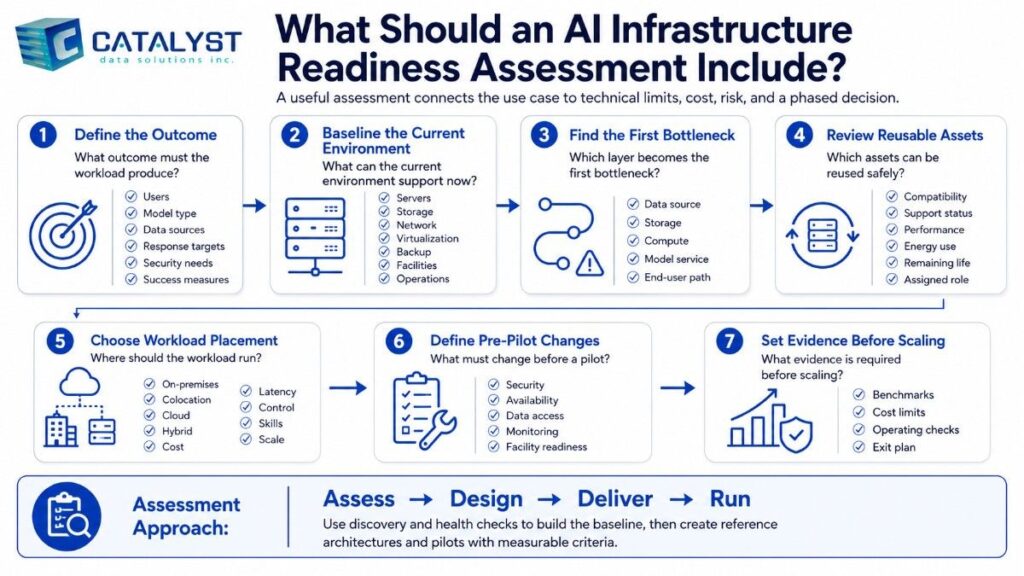
A useful assessment connects the use case to technical limits, cost, risk, and a phased decision.
At Catalyst Data Solutions, we structure the work around seven questions:
- What outcome must the workload produce? We define users, model type, data sources, response targets, security needs, and success measures.
- What can the current environment support now? We baseline servers, storage, network, virtualization, backup, facilities, and operations.
- Which layer becomes the first bottleneck? We test the path from the data source to storage, compute, model service, and end user.
- Which assets can be reused safely? We review compatibility, support status, performance, energy use, remaining life, and assigned role.
- Where should the workload run? We compare on-premises, colocation, cloud, and hybrid options against cost, latency, control, skills, and scale.
- What must change before a pilot? We define the minimum upgrades for security, availability, data access, monitoring, and facility readiness.
- What evidence is required before scaling? We set benchmarks, cost limits, operating checks, and an exit plan.
Our infrastructure modernization services follow an assess, design, deliver, and run model. We use discovery and health checks to build the baseline, then create reference architectures and pilots with measurable criteria.
What compute resources are needed for generative AI?
Compute needs depend on model size, context length, precision, concurrency, response time, and whether the workload is training or inference. Size from those inputs rather than selecting a server first.
| Workload | Common compute pattern | Key sizing question |
| Data preparation and orchestration | CPU and memory handle much of the work; some steps may use acceleration | How much data must be cleaned, moved, embedded, or indexed? |
| Small pilot or light inference | One supported accelerator, a cloud instance, or a shared platform may be enough | How many requests and users must run at once? |
| Production inference | One or more accelerators with enough memory, fast storage, and reliable serving software | What are the latency, uptime, privacy, and concurrency targets? |
| Fine-tuning | Accelerated nodes with more memory, faster links, and checkpoint storage | How large is the model, and how often will tuning run? |
| Large training | Multi-node accelerator cluster with high-speed fabric, storage, power, cooling, and specialist operations | Is ownership justified compared with cloud or colocation? |
Do you need GPUs to make a data center AI-ready?
Not always at the start, but many production generative AI workloads need accelerated compute. CPU systems can support data preparation, databases, vector search, monitoring, and some smaller inference tasks. Heavier inference, fine-tuning, and training often require GPUs or other accelerators.
The better question is: Which parts need acceleration, at what scale, and where should it run? AWS also frames generative AI infrastructure around accelerated compute, high-performance storage, networking, and integrated services not compute alone.
How do you identify infrastructure bottlenecks?
Test the full path under a production-like workload. A general server health check is not enough.
Compute
Track CPU and accelerator use, memory, PCIe layout, thermal throttling, queue time, and job duration. Low accelerator use may signal slow storage, network limits, small batch sizes, or software issues.
Storage
Measure capacity, IOPS, sequential throughput, latency, queue depth, checkpoint time, and recovery speed. AI data paths may include source data, object storage, vector databases, model files, cache, logs, and backups.
Our guidance on enterprise data storage solutions explains why storage must match workload performance, scale, security, reliability, and lifecycle cost.
Network
Map east-west traffic between compute nodes, north-south traffic to users and data sources, storage traffic, management traffic, and cloud links.
Check utilization, oversubscription, latency, packet loss, redundancy, and quality of service. Multi-node AI may need a different fabric from normal application traffic.
A practical example: Refreshing a critical network without disrupting service
Network modernization can prepare an organization for higher data volumes and new workloads, but the refresh cannot place existing services at unnecessary risk.
At Catalyst Data Solutions, we helped a regional telecommunications provider modernize four locations through a coordinated Arista network refresh. We completed the project in eight weeks with no unplanned customer-facing outage.
We used a customer-first deployment plan built around coordinated scheduling, controlled changes, testing, and service continuity. The project demonstrates how we modernize critical network infrastructure while helping teams maintain reliable operations.
Download the Arista Network Refresh Case Study
Power and cooling
Record actual rack draw, peak load, circuit capacity, redundancy, UPS headroom, cooling capacity, inlet temperature, airflow, hot spots, rack density, and expansion limits.
Some dense AI systems need facility changes or liquid cooling. Smaller inference systems may fit in current air-cooled racks. The facility plan must follow the selected hardware and scale.
A practical hybrid infrastructure roadmap
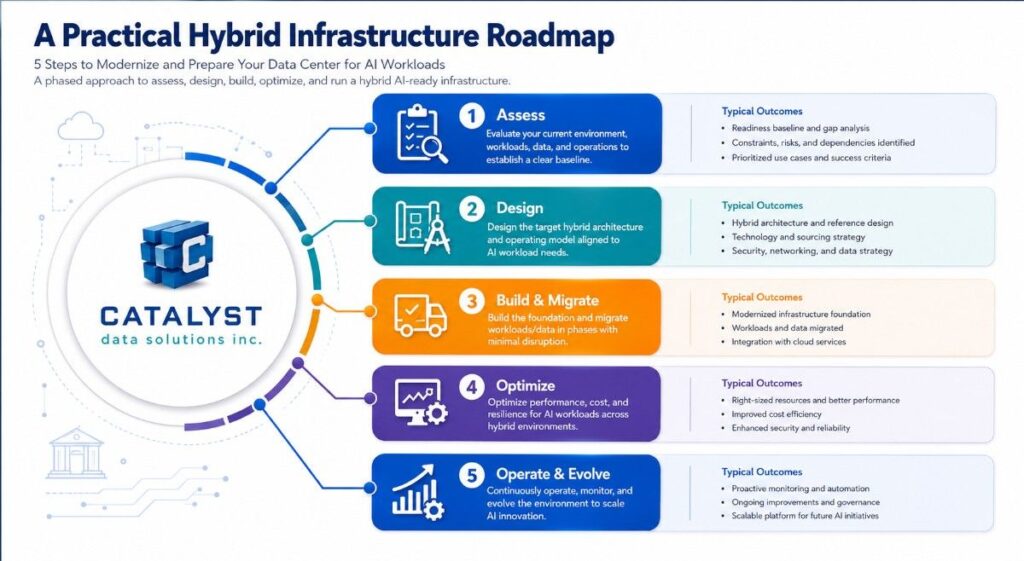
Stage 0: Inventory workloads, dependencies, assets, facilities, and skills
Start with what must run. Document the use case, data sources, model approach, integrations, demand, service level, and security boundary.
Map servers, storage, networks, cloud links, rack power, cooling, software, support contracts, skills, asset age, and refresh plans. This reuse map prevents a pilot from depending on an unsupported switch, overloaded array, or rack with no thermal headroom.
Stage 1: Stabilize availability, security, backup, network, and monitoring
Do not place a new AI service on an unstable base. Resolve failure points, backup gaps, unsupported firmware, network errors, weak identity controls, missing logging, and unclear recovery ownership. The goal is a supportable platform that produces trustworthy pilot results.
Stage 2: Modernize data access, storage, fabric, power, and cooling bottlenecks
Upgrade only the layers that limit the workload, such as storage, uplinks, data pipelines, rack power, airflow, or dense compute placement.
A sound hybrid cloud infrastructure design can keep sensitive or steady workloads on-premises while using cloud capacity for burst demand, specialist services, or early tests.
Stage 3: Choose the deployment model
Compare four paths:
- Existing data center: Best when the facility has headroom and control or close data access matters.
- Modernized on-premises: Best when core systems remain useful but selected layers need upgrades.
- Colocation: Best when owned equipment is preferred but the current facility cannot support density, power, cooling, or connectivity.
- Cloud or hybrid: Best when demand is uncertain, speed matters, or temporary access to specialist compute is useful.
The on-premises vs. cloud vs. hybrid cost comparison should include capital cost, usage, data movement, staffing, integration, support, power, cooling, and exit options not only the first invoice.
Stage 4: Run a bounded pilot
A useful pilot has a narrow workload, real data controls, a fixed time window, and pass-or-fail criteria.
Measure:
- Response time and throughput
- User load and concurrency
- Model quality for the defined task
- Data retrieval and storage speed
- Compute and accelerator use
- Power and thermal behavior
- Access, logging, security, and recovery
- Cost per run, request, user, or business process
- Support effort and operating gaps
Scale only when the evidence shows the design can meet production needs.
Stage 5: Operationalize, scale, and plan the lifecycle
Production requires monitoring, patching, access control, backup, incident response, capacity management, documentation, and cost review. Decide how systems will be repurposed, expanded, recovered, or retired.
At Catalyst Data Solutions, we connect infrastructure planning with sourcing, lifecycle support, ITAD, asset recovery, and redeployment so the next refresh is considered during the current design.
Sample 12- to 24-month roadmap
| Time frame | Main objective | Typical outputs |
| Months 0–2 | Establish the fact base | Workload definition, readiness score, dependency map, facility baseline, risk register |
| Months 2–5 | Remove pilot blockers | Security fixes, backup validation, monitoring, network cleanup, data plan |
| Months 4–8 | Build the pilot platform | Reference architecture, placement decision, pilot environment, success metrics |
| Months 7–12 | Validate production readiness | Benchmark report, cost model, runbook, recovery test, capacity plan |
| Months 10–18 | Scale the proven design | Capacity, automation, support model, onboarding, governance |
| Months 16–24 | Optimize and extend | Tuning, cost controls, lifecycle plan, workload balance, next use cases |
The sequence may change. Facility work, lead times, data prep, security review, and app work can shift the schedule. A roadmap should show decision gates, not promise one date.
How we build the modernization path
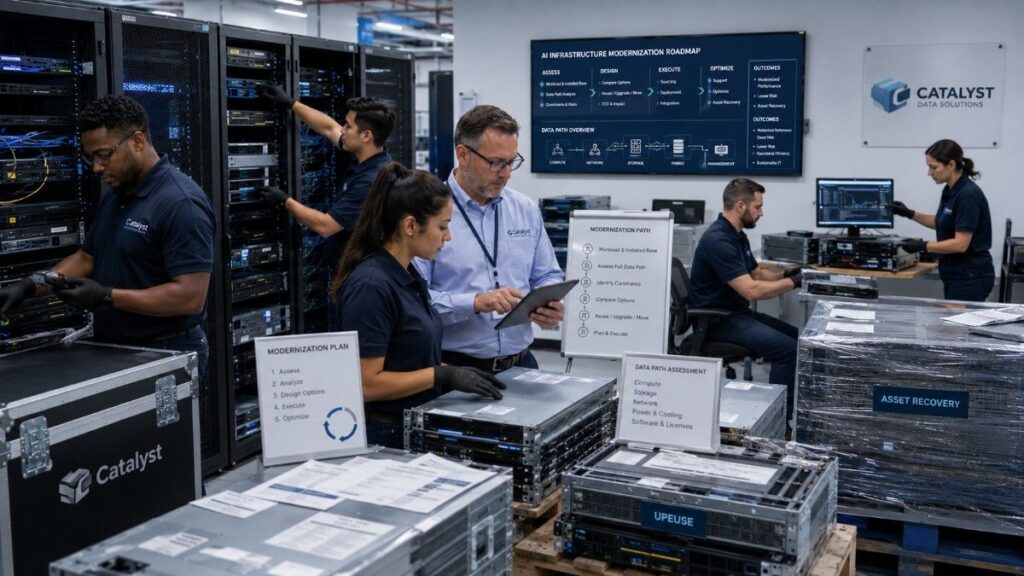
At Catalyst Data Solutions Inc , we begin with your workload, installed base, facility limits, timeline, and operating model. We assess the full data path, identify constraints, and compare options across multiple technology partners.
We then define what to reuse, upgrade, or move and connect the plan to sourcing, deployment, support, and asset recovery.
The result is a clear decision: why each change is needed, how the pilot will be measured, and what evidence is required before the next investment.
To turn an AI-readiness question into a defined assessment and phased plan, talk to a Catalyst infrastructure architect about the workload, data, facility, and business constraints that shape your environment.
FAQs
How can I assess whether our existing infrastructure is AI-ready?
Define one workload, then test the full path across data, compute, storage, network, power, cooling, security, and operations. Rate each layer as reusable, upgradeable, relocatable, or ready for retirement.
The assessment should end with a bottleneck list, workload placement decision, pilot design, cost model, and acceptance criteria.
Should we work with Catalyst or buy AI infrastructure directly from an OEM?
Buying directly from an OEM can make sense when the organization has already selected a standard platform and has the internal skills to design, integrate, operate, and support it.
At Catalyst Data Solutions, we help when the buyer still needs to determine which architecture and vendor path best fits the workload. We define requirements and decision criteria before selecting an OEM. We can then compare performance, compatibility, lead time, support, power, lifecycle cost, and future exit options.
Our role is not to avoid OEMs. It is to make the OEM decision clear, documented, and aligned with the full infrastructure lifecycle.
What infrastructure is required to run enterprise AI workloads?
Most enterprise AI platforms need governed data access, compute, memory, storage, network connectivity, secure identity, monitoring, backup, and an operating platform.
Accelerated workloads also need compatible servers, software, interconnects, power, cooling, and support. The required scale depends on the model and service target.
Can we become AI-ready without moving everything to the cloud?
Yes. A hybrid plan can keep suitable systems and sensitive data on-premises, place dense compute in colocation, and use cloud services for pilots, burst demand, or specialist tools.
Workload needs not a cloud-first or on-prem-first rule should drive placement.