


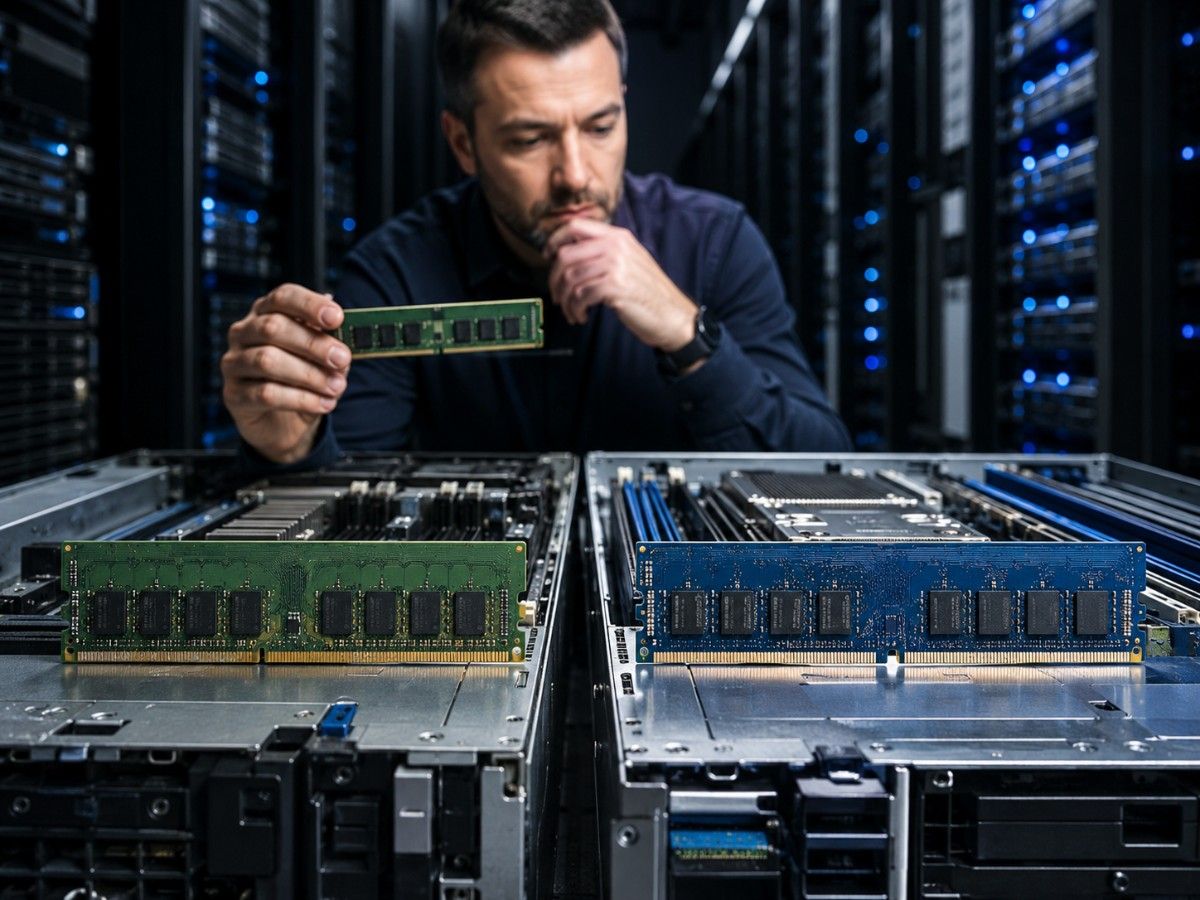
Server memory decisions have become more important in 2026. Many organizations still run stable DDR4 servers, while newer platforms are moving toward DDR5 for higher bandwidth, larger capacity, and better long-term support.
The challenge is simple: DDR5 is not always an automatic upgrade, and DDR4 is not always outdated. The right choice depends on your server platform, workload, budget, and growth plan.
This guide explains DDR5 vs DDR4 for servers in practical terms, including compatibility, performance, power efficiency, capacity, and upgrade planning.
Key Takeaways
- DDR5 is the better choice for most new server builds in 2026.
- DDR4 is still useful for existing servers with stable workloads.
- DDR4 and DDR5 are not interchangeable.
- Server RAM must match the CPU, motherboard, firmware, and OEM memory rules.
- DDR5 is strongest for virtualization, databases, analytics, and high-density workloads.
- DDR4 may still be cost-effective for legacy, backup, file, and light business servers.
DDR5 vs DDR4 for Servers: Quick Comparison
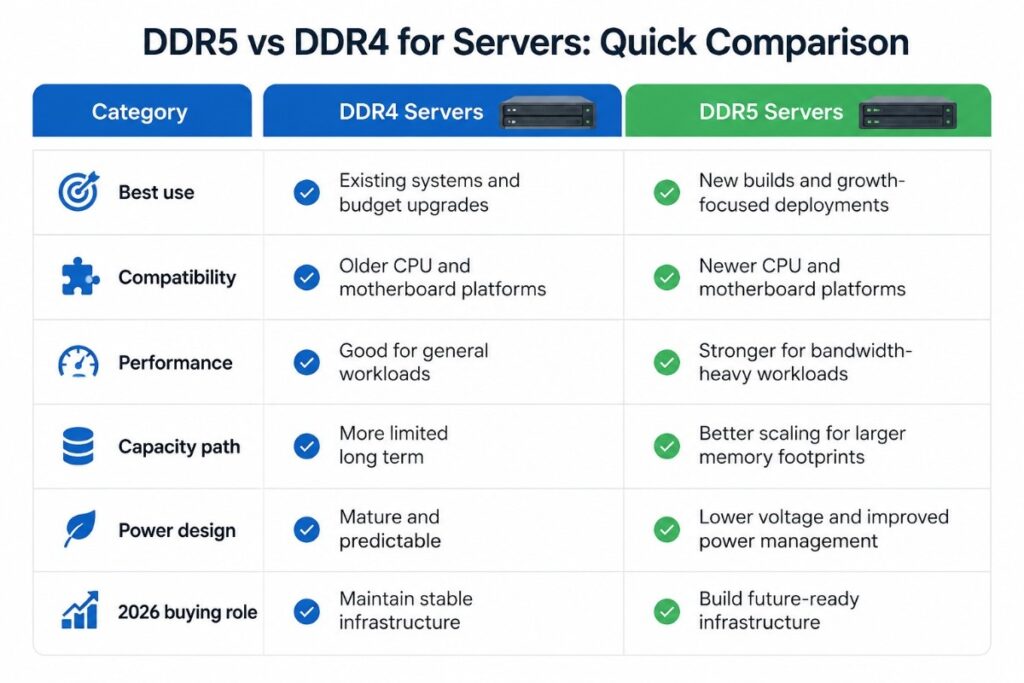
DDR5 is designed to move more data per second than DDR4. That makes it better suited for newer CPUs and heavier server workloads. DDR4 remains dependable, but it belongs mainly to existing platforms and cost-sensitive upgrades.
For 2026 planning, supply and lifecycle also matter. Teams buying new systems should factor DDR5 supply pressure into refresh planning, especially when ordering memory for multiple servers or standardized deployments.
| Category | DDR4 Servers | DDR5 Servers |
| Best use | Existing systems and budget upgrades | New builds and growth-focused deployments |
| Compatibility | Older CPU and motherboard platforms | Newer CPU and motherboard platforms |
| Performance | Good for general workloads | Stronger for bandwidth-heavy workloads |
| Capacity path | More limited long term | Better scaling for larger memory footprints |
| Power design | Mature and predictable | Lower voltage and improved power management |
| 2026 buying role | Maintain stable infrastructure | Build future-ready infrastructure |
Core Difference Between DDR4 and DDR5 Server Memory
The biggest difference is bandwidth. DDR5 can transfer more data per second, which helps modern CPUs stay fed with information. In a server, this matters when many users, virtual machines, or applications need memory at the same time.
DDR5 also improves memory architecture. It supports higher-density modules, better scaling, and a newer power design. These changes help servers handle larger workloads without being limited by memory throughput too early.
DDR4 still has value. It is mature, widely deployed, and often cheaper for existing systems. If a server is stable and not memory-limited, DDR4 may still be the smarter short-term choice.
Server Compatibility: Can DDR4 and DDR5 Work on the Same Platform?
No. DDR4 and DDR5 do not work on the same standard server motherboard. They use different slot designs, different electrical layouts, and different platform support.
A DDR4 DIMM will not fit into a DDR5 slot, and a DDR5 DIMM will not fit into a DDR4 slot. Even if two modules look similar, they are not interchangeable.
Compatibility depends on the full server platform, not just the memory module. Before buying RAM, confirm the server model, CPU generation, motherboard support, firmware level, DIMM type, capacity, rank, and speed.
This is also why memory should be planned early. If an organization is refreshing infrastructure, DDR5 availability risks can affect purchasing timelines and configuration options.
CPU, Motherboard, and Server Platform Compatibility
The CPU and motherboard decide whether a server supports DDR4 or DDR5. You cannot move from DDR4 to DDR5 by replacing only the RAM. In most cases, switching to DDR5 means moving to a newer server platform.
This is important for environments using HPE ProLiant, Dell PowerEdge, or Lenovo ThinkSystem servers. Each platform has specific memory rules based on server generation, processor family, supported DIMM type, and population layout.
For example, a current-generation HPE ProLiant server may support DDR5, while an older HPE ProLiant model may be DDR4-only. The same logic applies to Dell PowerEdge and Lenovo ThinkSystem families. Always check the exact server generation before buying memory.
For teams standardizing on HPE systems, HPE server planning should include CPU, memory, storage, and workload needs together rather than treating memory as a separate part.
DDR4 vs DDR5 Slot and Module Differences
DDR4 and DDR5 server modules are physically keyed differently. The notch on the module is in a different position, which helps prevent incorrect installation.
The electrical design is also different. DDR5 uses newer signaling and power management, so it requires a compatible motherboard and memory controller.
This means a server memory upgrade should never be based only on capacity. A 64GB module may have the right size but still be wrong for the system if it uses the wrong generation, form factor, or DIMM type.
ECC, RDIMM, and LRDIMM Support
Most business servers use ECC memory. ECC stands for Error-Correcting Code. It helps detect and correct certain memory errors, which supports data integrity and system stability.
RDIMM means Registered DIMM. It includes a register that helps the server support larger and more stable memory configurations. RDIMM is common in enterprise servers.
LRDIMM means Load-Reduced DIMM. It is used for very high-capacity configurations where memory density is a priority.
The key rule is simple: use the memory type supported by your server. Do not mix RDIMM and LRDIMM unless the platform documentation clearly allows it. Unsupported mixing can cause boot failures, lower speeds, or unstable performance.
HPE, Dell, and Lenovo Server Platform Considerations
Vendor names should matter only when they help the reader make a better decision. For DDR5 vs DDR4 server planning, HPE, Dell Technologies, and Lenovo are relevant because they represent common enterprise server platforms.
An HPE ProLiant, Dell PowerEdge, or Lenovo ThinkSystem server may have different memory rules depending on generation and configuration. Even within the same brand, memory support can change between models.
This is why IT teams should confirm the exact service tag, serial number, model generation, processor, and memory population guide before ordering. When replacing or expanding existing infrastructure, a documented ProLiant upgrade path can reduce compatibility mistakes across memory, storage, and RAID planning.
DDR5 vs DDR4 Server Performance
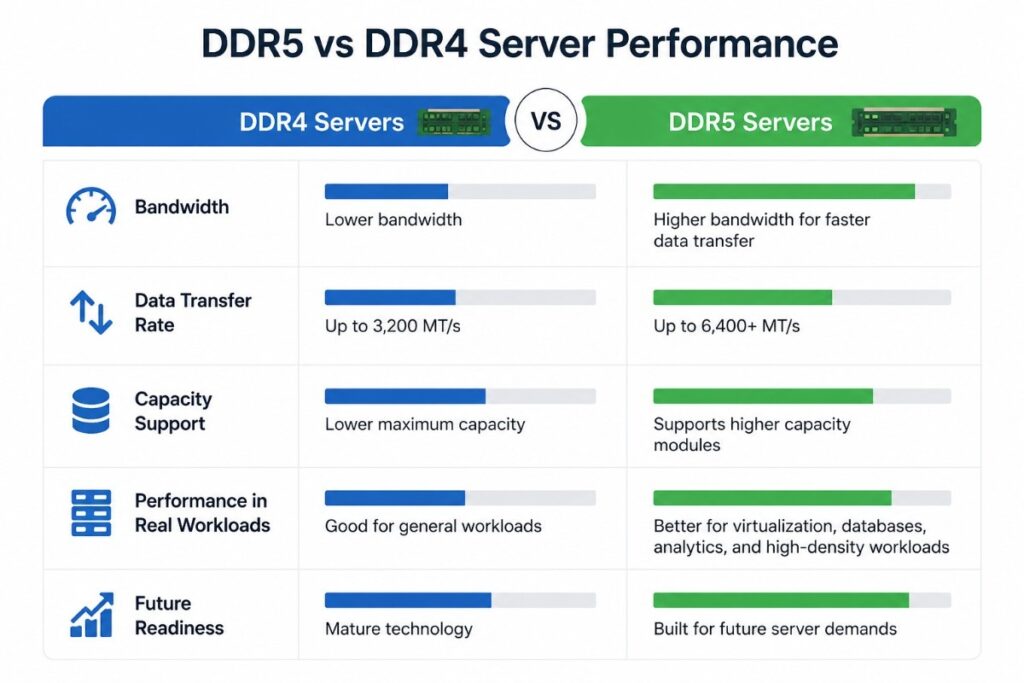
DDR5 is usually faster than DDR4 in bandwidth. That does not mean every application will feel faster. The performance gain depends on how much the workload depends on memory speed and capacity.
A file server may see little difference. A virtualization host with many active virtual machines may benefit more. A database server with large working sets may also benefit if memory throughput is part of the bottleneck.
| Performance Factor | DDR4 | DDR5 |
| Memory bandwidth | Lower | Higher |
| Capacity scaling | More limited | Stronger |
| General workloads | Still effective | Effective but may be more than needed |
| Heavy workloads | Can become limiting | Better suited |
| Long-term platform support | Declining for new builds | Stronger for new builds |
Bandwidth and Data Transfer Rate
Bandwidth is the amount of data memory can move in a given time. DDR5 offers more bandwidth than DDR4, which helps servers process larger or more active workloads.
This matters most when a server has many CPU cores, many virtual machines, or applications that keep requesting data from memory. If the processor is waiting on memory too often, DDR5 can help reduce that bottleneck.
Bandwidth is one of the strongest reasons to choose DDR5 for new virtualization hosts, database servers, analytics systems, and high-density application platforms.
Latency vs Bandwidth in Real Workloads
Latency is the delay before memory responds. DDR5 can have higher raw latency numbers than DDR4 in some comparisons, but that does not tell the full story.
Server performance depends on bandwidth, memory channels, CPU cache, workload design, storage speed, and software behavior. A workload that needs frequent small memory requests may respond differently from one that moves large amounts of data.
For most server buying decisions, bandwidth and scalability matter more than looking at latency alone. The better question is: does the workload need more memory throughput, more capacity, or both?
Memory Channels and DIMM Population Rules
Memory channels affect server performance. A server can only reach its expected memory bandwidth when DIMMs are installed in the correct slots and balanced across channels.
Poor DIMM placement is a common upgrade mistake. The server may still boot, but performance can drop because not all channels are being used properly.
For dual-socket servers, balanced memory population is even more important. Each CPU should have the right memory layout based on the vendor’s population guide.
Power Efficiency and Operating Cost
DDR5 uses a lower operating voltage than DDR4 and includes improved power management. In one server, the difference may look small. Across many systems, the impact can matter.
Power efficiency is not only about the memory module. It also affects cooling, rack density, and long-term operating cost. A newer DDR5 server may support more work per system, which can reduce the number of older servers needed.
However, DDR5 is not automatically cheaper overall. The total cost includes the server platform, memory price, support, warranty, power, cooling, and useful life.
DDR5 Voltage, PMIC, and Efficiency Improvements
DDR5 uses a PMIC, or power management integrated circuit, on the memory module. This helps manage power closer to the memory itself.
This newer design supports better efficiency and stability at higher speeds. It is one reason DDR5 fits well in modern server platforms.
Still, power planning should be realistic. A powerful new DDR5 server may also include more CPU cores, faster storage, and higher network capacity. The best comparison is not only watts used, but work completed per watt.
When DDR4 Still Makes Financial Sense
DDR4 still makes sense when an existing server is stable, supported, and not performance-limited. Replacing a working platform just to move to DDR5 may not create enough value.
DDR4 is still practical for:
- File services
- Backup systems
- Directory services
- Light business applications
- Legacy applications
- Lab systems
- Test environments
If the server has enough memory and the workload is predictable, a DDR4 upgrade can be a smart way to extend useful life.
Capacity, Scalability, and Future Server Growth
DDR5 gives newer platforms a better path for larger memory configurations. This matters when workloads are growing or when teams want to consolidate more applications onto fewer systems.
Higher memory capacity can help servers keep more active data close to the CPU. That can reduce storage access and improve performance in the right workloads.
But capacity should be planned carefully. Too little memory creates performance issues. Too much unused memory ties up budget that could be used for storage, compute, or support.
Higher Capacity DIMMs and Larger Memory Footprints
Large memory footprints are useful for virtualization, databases, analytics, and other workloads that keep large amounts of data active.
DDR5 supports better long-term scaling than DDR4. That makes it a stronger choice for new platforms expected to grow over several years.
For organizations planning dense compute environments, memory should be sized along with CPU, storage, and network needs. In larger projects, AI/HPC infrastructure planning should include memory bandwidth and capacity from the beginning.
Workloads That Benefit Most from DDR5
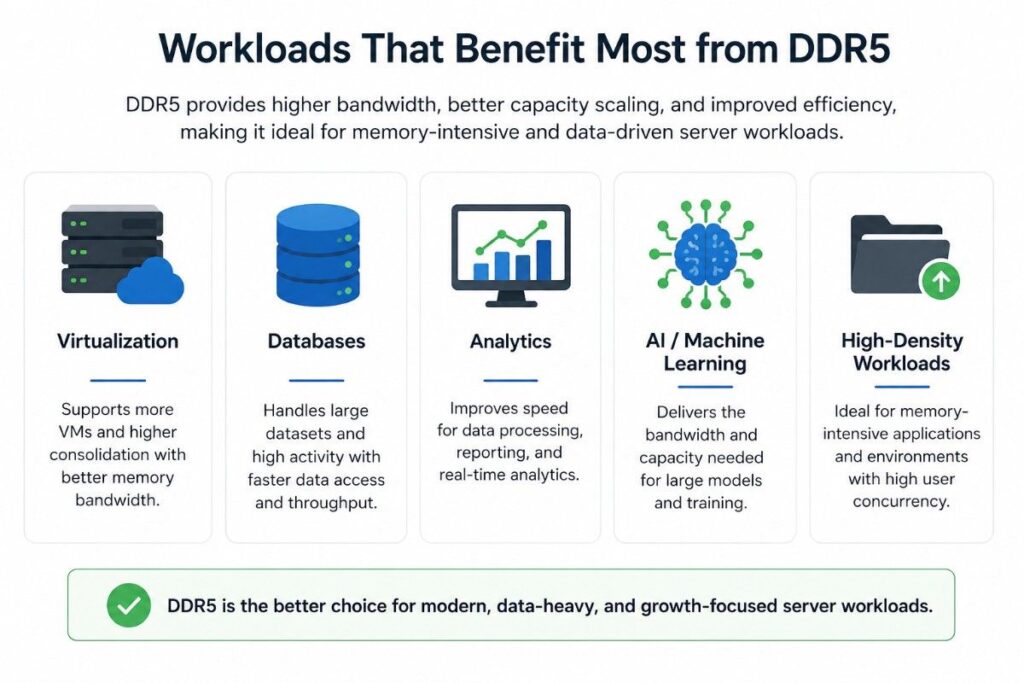
DDR5 is most useful when the workload needs more memory bandwidth, more capacity, or better platform longevity.
| Workload | Better Fit | Reason |
| Virtualization hosts | DDR5 | More VMs increase memory pressure |
| Database servers | DDR5 | Larger memory pools can improve performance |
| Analytics workloads | DDR5 | High data movement benefits from bandwidth |
| AI support systems | DDR5 | Data preparation and supporting services need throughput |
| File servers | DDR4 or DDR5 | Depends on age and load |
| Backup servers | DDR4 | Often cost-effective if stable |
| Legacy applications | DDR4 | Best when already supported and predictable |
| New enterprise servers | DDR5 | Better long-term platform path |
Should You Upgrade from DDR4 to DDR5 in 2026?
You should consider DDR5 when buying new servers, expanding virtualization, modernizing databases, or planning infrastructure for the next three to five years.
You should consider keeping DDR4 when the existing server is reliable, supported, and not slowing the business down.
The most important point is that DDR5 is usually a platform refresh, not a simple memory swap. If your current server uses DDR4, you normally need a new CPU and motherboard platform to use DDR5.
When to Keep Existing DDR4 Servers
Keep DDR4 servers when they still meet workload needs and support requirements. A stable server with enough memory does not always need replacement.
Before replacing a DDR4 server, check:
- Memory utilization
- CPU utilization
- Storage latency
- Network usage
- Warranty status
- Firmware support
- Application requirements
- Security and compliance needs
Sometimes the issue is not memory. A slow storage array, old RAID layout, or network bottleneck may be the real cause of poor performance.
When to Choose DDR5 for New Server Builds
Choose DDR5 for most new server builds in 2026. It gives stronger performance headroom, better scaling, and a longer platform lifecycle.
DDR5 is especially useful for new virtualization hosts, database systems, analytics servers, and high-density compute environments. It also makes sense when the organization wants to standardize on newer server generations.
For mixed-vendor environments, Catalyst Data Solutions Inc can support planning across HPE ProLiant, Dell PowerEdge, and Lenovo ThinkSystem platforms through its broader strategic partner network, helping teams avoid one-size-fits-all sourcing decisions.
Server Memory Upgrade Checklist
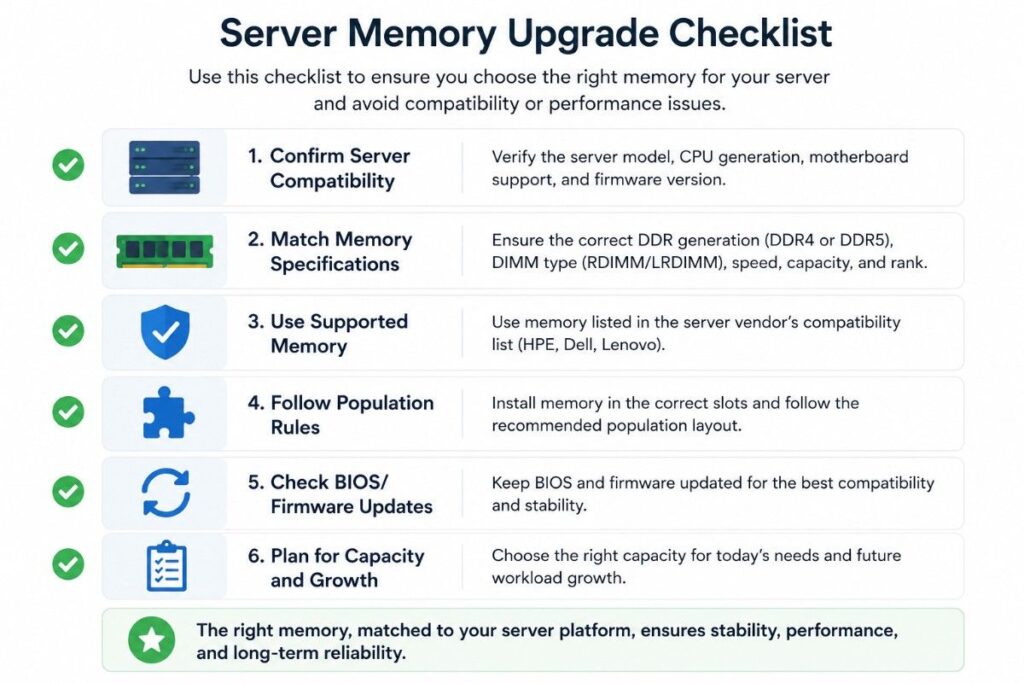
Use this checklist before buying DDR4 or DDR5 server memory.
| Upgrade Step | Why It Matters |
| Confirm server model | Memory support changes by model and generation |
| Confirm CPU generation | CPU controls DDR4 or DDR5 support |
| Check DIMM type | RDIMM, LRDIMM, and UDIMM are different |
| Review memory speed | Installed speed may depend on population rules |
| Check capacity limits | Servers have maximum supported memory |
| Follow slot rules | Balanced channels improve performance |
| Review firmware | Updates may affect memory support |
| Validate supplier | Tested components reduce risk |
This step is especially important when expanding multiple servers at once. A small configuration mistake can become expensive when repeated across a rack or branch rollout.
Common Mistakes When Upgrading Server RAM
Server memory mistakes can lead to boot failures, unstable systems, reduced speeds, and avoidable downtime. Most issues happen when buyers focus only on price and capacity.
Buying Incompatible DDR4 or DDR5 Modules
A memory module must match the server platform. DDR4 vs DDR5 is only the first filter. You must also check capacity, speed, rank, voltage, and supported DIMM type.
A module that works in one server may not work in another, even if both systems are from the same brand.
Mixing Unsupported DIMM Types
Do not mix RDIMM and LRDIMM unless the server documentation clearly allows it. Also be careful when mixing capacities and speeds.
Even when mixed memory works, the server may reduce memory speed or use a less efficient layout.
Ignoring Memory Channel Population Rules
Memory placement matters. Installing DIMMs in the wrong slots can reduce bandwidth and limit performance.
Always follow the server vendor’s memory population guide. This is one of the simplest ways to protect performance during an upgrade.
Final Recommendation: DDR5 or DDR4 for Servers in 2026?
For most new servers in 2026, DDR5 is the better choice. It offers higher bandwidth, better capacity scaling, improved power design, and a stronger long-term platform path.
For existing servers, DDR4 can still be the right choice. If the system is stable, supported, and sized correctly, a DDR4 upgrade may protect budget and extend useful life.
The best answer is not “DDR5 always” or “DDR4 is obsolete.” The best answer is to match memory to the platform, workload, support window, and growth plan.
Need Help Planning a Compatible DDR5 or DDR4 Server Upgrade?
Catalyst Data Solutions Inc can help you validate memory compatibility across HPE ProLiant, Dell PowerEdgesource reliable DDR4 or DDR5 components, and plan cost-effective upgrades around your workload, budget, and growth goals.
FAQs
Is DDR5 better than DDR4 for servers in 2026?
Yes, DDR5 is better for most new server builds in 2026 because it offers higher bandwidth, stronger scaling, and better support on newer platforms. DDR4 is still useful for stable existing servers.
Can I use DDR4 RAM in a DDR5 server motherboard?
No. DDR4 and DDR5 use different physical slots and electrical designs. They are not interchangeable.
Is DDR5 worth it for small business servers?
DDR5 is worth it for new small business servers that need a longer lifecycle. If an existing DDR4 server is stable and supported, DDR4 may still be cost-effective.
Does DDR5 reduce server power consumption?
DDR5 uses lower operating voltage and improved power management. Actual savings depend on the full server configuration, workload, and operating environment.
Which server workloads benefit most from DDR5?
Virtualization, databases, analytics, AI support systems, and high-density application workloads usually benefit most from DDR5.
Should I upgrade an existing DDR4 server to DDR5?
Usually, you cannot upgrade only the RAM from DDR4 to DDR5. Moving to DDR5 normally requires a newer CPU, motherboard, and server platform.
Is DDR4 still good for servers in 2026?
Yes. DDR4 is still good for many existing servers, especially file servers, backup systems, legacy applications, and light business workloads.
What should I check before buying DDR5 server RAM?
Check the server model, CPU generation, supported DIMM type, memory speed, rank, capacity, firmware level, and memory population rules before buying.