


Data-bearing equipment creates risk after it leaves production. A drive may be reused, sold, returned, recycled, or destroyed. Each path needs a method that protects information and supports the intended business outcome.
The central question in data erasure vs data destruction is which method fits the media, data sensitivity, hardware condition, compliance requirements, and planned disposition.
A documented IT asset disposition program connects sanitization decisions with chain of custody, asset tracking, resale, recycling, and audit evidence.
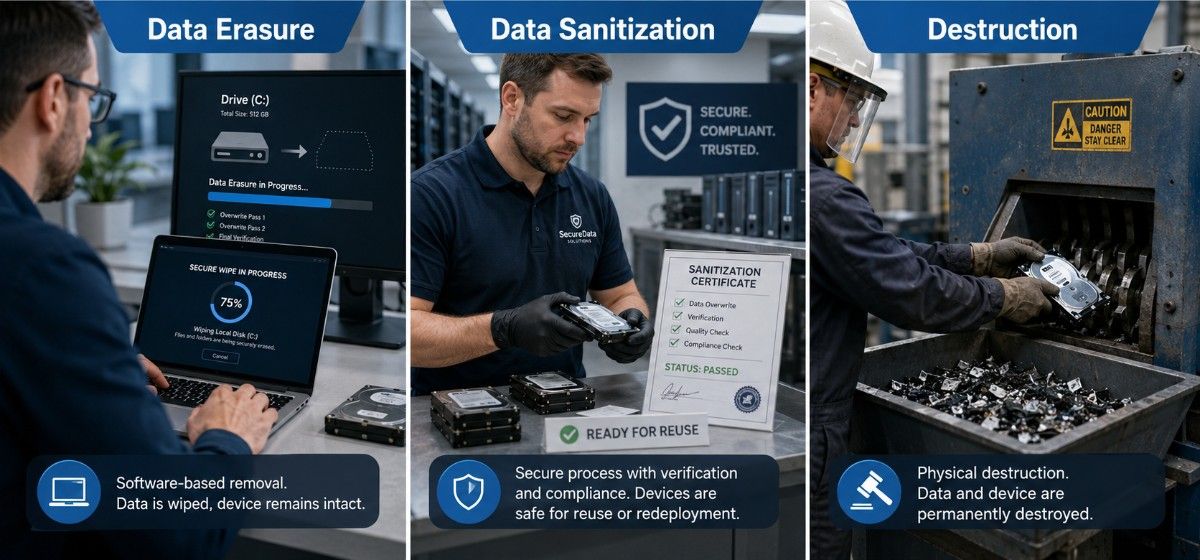
What Is the Difference Between Data Erasure, Sanitization, and Destruction?
Data sanitization is the broader verified process. Data erasure and physical destruction are methods used within that process.
This distinction matters during server upgrade planning, because decommissioned hardware may retain useful value after sensitive information is removed.
- Data erasure removes information through logical techniques while keeping the device usable.
- Data sanitization confirms that recovery is infeasible for the required risk level.
- Data destruction physically damages media so it cannot store data again.
- Data disposal determines the final route, including reuse, resale, return, or recycling.
What Is Data Erasure?
Data erasure is a software-based process that removes information from storage media while preserving the device for continued use.
It is often called secure wiping, drive erasure, or logical sanitization. It should not be confused with ordinary deletion or formatting.
A professional erasure workflow should record:
- Asset tag and drive serial number
- Media type, make, and model
- Erasure method and tool version
- Completion time and error status
- Verification result
- Final disposition decision
Verified erasure is often preferred when equipment will be redeployed, refurbished, or sold. It can support refurbished hardware decisions without weakening data protection.
What Is Data Sanitization?
Data sanitization is the controlled process of making target information recovery infeasible for an accepted level of effort.
It includes technical execution, verification, validation, documentation, and chain of custody. Erasure alone is only one part of the process.
A complete sanitization program should address:
- Information classification
- Media type and device condition
- Approved sanitization method
- Secure handling and transport
- Technical verification
- Exception management
- Certificate and final disposition records
This broader view helps procurement and security teams align data protection with hardware sourcing strategy, especially when equipment may return to the supply chain.
Data Erasure vs Data Destruction Comparison
The best method depends on required security, media technology, hardware condition, cost, and reusability.
| Method | Typical security outcome | Suitable media | Verification | Relative cost | Hardware reusable? |
| File deletion | Not sanitization | Any active device | File-system review | Very low | Yes |
| Quick format | Not sanitization | HDD or SSD | Partition review | Very low | Yes |
| Overwrite | Clear | Healthy magnetic HDDs | Tool logs and error review | Low | Yes |
| Device sanitize command | Purge when supported | HDDs and SSDs | Command and health status | Medium | Usually |
| Cryptographic erase | Purge under defined conditions | Encrypted SSDs and SEDs | Key-erasure evidence | Low to medium | Yes |
| Degaussing | Purge for compatible media | Some HDDs and tapes | Equipment records | Medium | Often no |
| Physical destruction | Destroy | Failed or high-risk media | Process inspection | Medium to high | No |
The method name alone does not prove security. A failed wipe or incomplete destruction process can leave recoverable data.
Is Deleting or Formatting a Drive Sufficient?
No. Standard deletion and quick formatting do not reliably sanitize a drive.
File deletion usually removes the reference to a file. The underlying data may remain until new information overwrites the same storage area.
Quick formatting normally rebuilds file-system structures. It does not confirm that every previous data location was addressed.
Deletion or formatting may support routine internal administration. It should not serve as evidence before resale, lease return, recycling, or external transfer.
Is Data Erasure as Secure as Physical Destruction?
Verified data erasure can provide strong protection when the technique matches the media and required threat level.
A successful purge method may protect against advanced recovery while keeping the device usable. In that situation, destruction may add cost without delivering meaningful risk reduction.
Physical destruction is usually more appropriate when:
- The device cannot accept commands.
- The drive reports unresolved errors.
- Storage areas are inaccessible.
- Encryption history is unknown.
- Policy prohibits reuse.
- Data sensitivity is exceptionally high.
Destruction must also be performed correctly. Drilling one hole or bending a drive may leave large sections of the storage surface intact.
Wiping vs Shredding Hard Drives
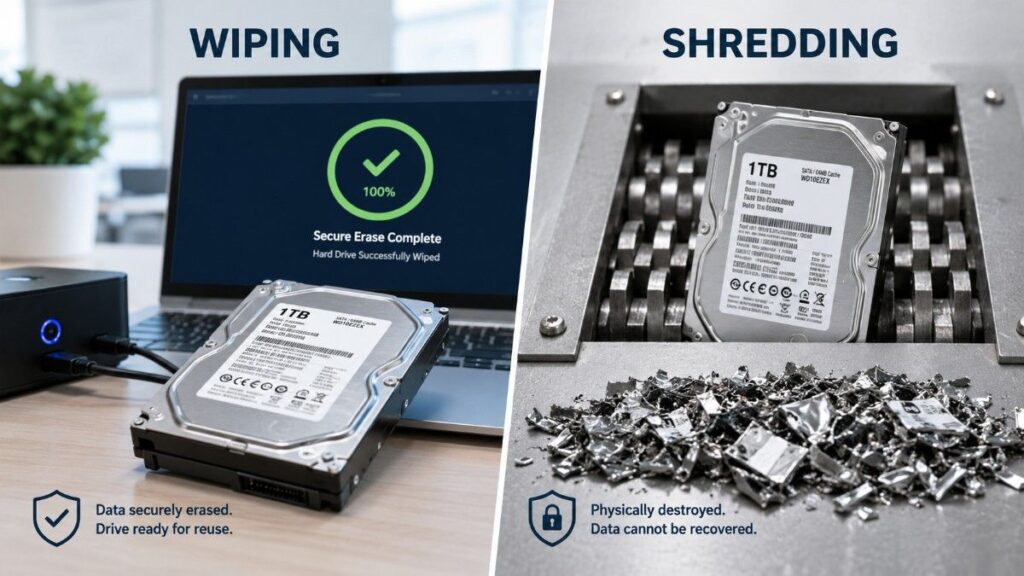
The choice between wiping vs shredding hard drives depends on drive health, policy, and planned disposition.
A healthy magnetic hard drive can often be overwritten or sanitized through a supported command. This preserves the asset for redeployment, refurbishment, or resale.
Shredding permanently removes that value and creates material that must enter a controlled recycling process.
Wiping is usually appropriate when:
- The drive is healthy and accessible.
- The approved method can complete.
- Verification is available.
- Reuse or resale is allowed.
Shredding is usually appropriate when:
- The drive has failed.
- Erasure cannot complete.
- Policy requires destruction.
- The device has no remaining value.
A controlled server refurbishment process should separate reusable drives from failed or unsupported media before final disposition.
Can SSDs Be Overwritten Securely?
SSDs are difficult to sanitize through ordinary overwriting.
Flash controllers use wear leveling, spare blocks, overprovisioning, and remapping. These features can move data outside locations visible to the operating system.
A standard overwrite may therefore miss data stored in retired or hidden flash cells.
For SSDs, teams should prefer:
- Manufacturer-supported sanitize commands
- Secure block erase
- Cryptographic erase
- Physical destruction when commands fail
The correct method depends on the drive model, firmware, encryption state, and controller support.
Unsupported commands, frozen security states, or damaged firmware should trigger an exception workflow. The drive should not pass because software reported partial progress.
What Is Cryptographic Erasure?
Cryptographic erase removes access to encrypted data by securely deleting the encryption key.
Without the key, the remaining ciphertext should be infeasible to recover with available resources.
This method can be fast and effective for encrypted SSDs, self-encrypting drives, and large storage systems.
Cryptographic erase is reliable only when:
- Strong encryption covered all target data.
- Encryption was active before sensitive data was written.
- Keys were generated and stored securely.
- Every relevant key copy is removed.
- Key deletion is verified and documented.
It should not be treated as a shortcut when encryption coverage is uncertain.
Cryptographic Erase vs Overwrite
The cryptographic erase vs overwrite choice depends largely on media architecture.
Overwrite writes new patterns across accessible storage locations. It is commonly suited to healthy magnetic drives.
Cryptographic erase destroys the key protecting encrypted data. It is often better suited to flash storage, where direct overwrite coverage is difficult to prove.
Both methods require validation. A completed command is not enough when the device reports errors, hidden capacity, or inconsistent encryption status.
When Must a Drive Be Physically Destroyed?
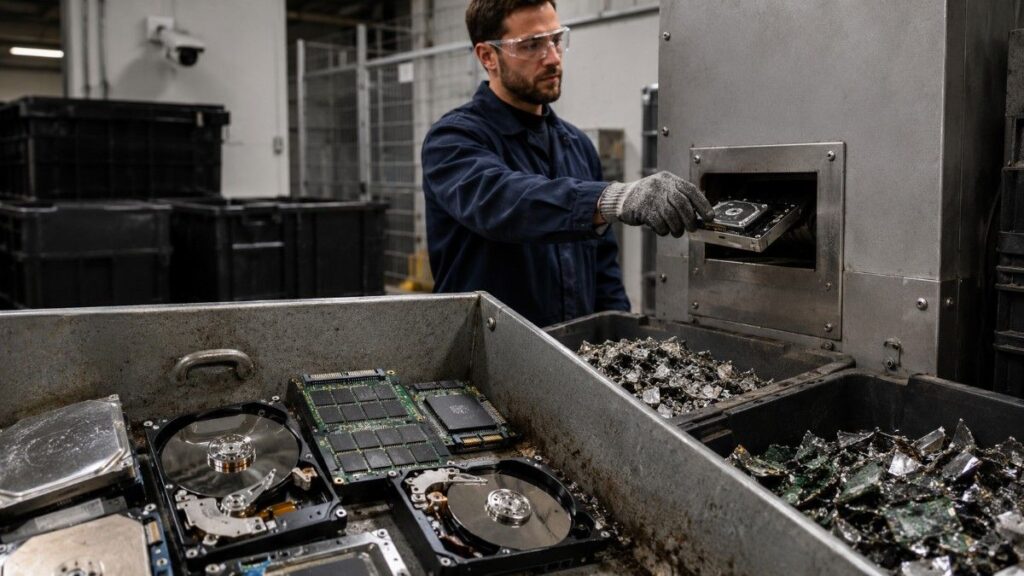
Physical destruction is necessary when logical sanitization cannot produce a trustworthy result or policy prohibits reuse.
Common triggers include:
- Failed or damaged drives
- Broken interfaces or controllers
- Unsupported sanitize commands
- Incomplete erasure results
- Unknown encryption status
- Contractual destruction requirements
- Media with no resale value
The process must target the data-bearing components. For hard drives, that means the platters. For SSDs, it means the flash memory packages.
After destruction, materials should enter a controlled asset recycling process with documented custody and final handling.
Which Method Preserves Hardware Resale Value?
Verified erasure usually preserves the greatest resale value.
The drive remains functional, testable, and available for redeployment or sale. This can reduce replacement costs and improve recovery from retired assets.
Destruction removes that opportunity. It should be reserved for cases where security, device condition, or policy outweighs reuse value.
Programs should compare:
- Device age and health
- Testing and erasure cost
- Secondary-market demand
- Destruction and recycling cost
- Expected resale return
A qualified technology lifecycle partner can combine sanitization, testing, resale, and recycling within one controlled workflow.
How Is Data Erasure Verified and Documented?
Verification checks whether the sanitization operation completed correctly. Validation determines whether the result is acceptable for the organization’s risk level.
Verification may include:
- Command completion status
- Tool and device logs
- Drive-health results
- Error and bad-sector review
- Capacity and model confirmation
- Sample inspection where appropriate
Validation should consider the selected method, data classification, device condition, destination, and reported exceptions.
The final record should let an auditor reconstruct what happened to each asset.
What Should a Certificate Include?
A sanitization or destruction certificate should include:
- Asset identifier and media serial number
- Device description
- Sanitization or destruction method
- Tool or equipment used
- Date and processing location
- Verification result
- Exception notes
- Technician or provider identity
- Final disposition
Batch certificates can support operational efficiency, but asset-level records should remain available for sensitive media.
Practical Device-Processing Workflows
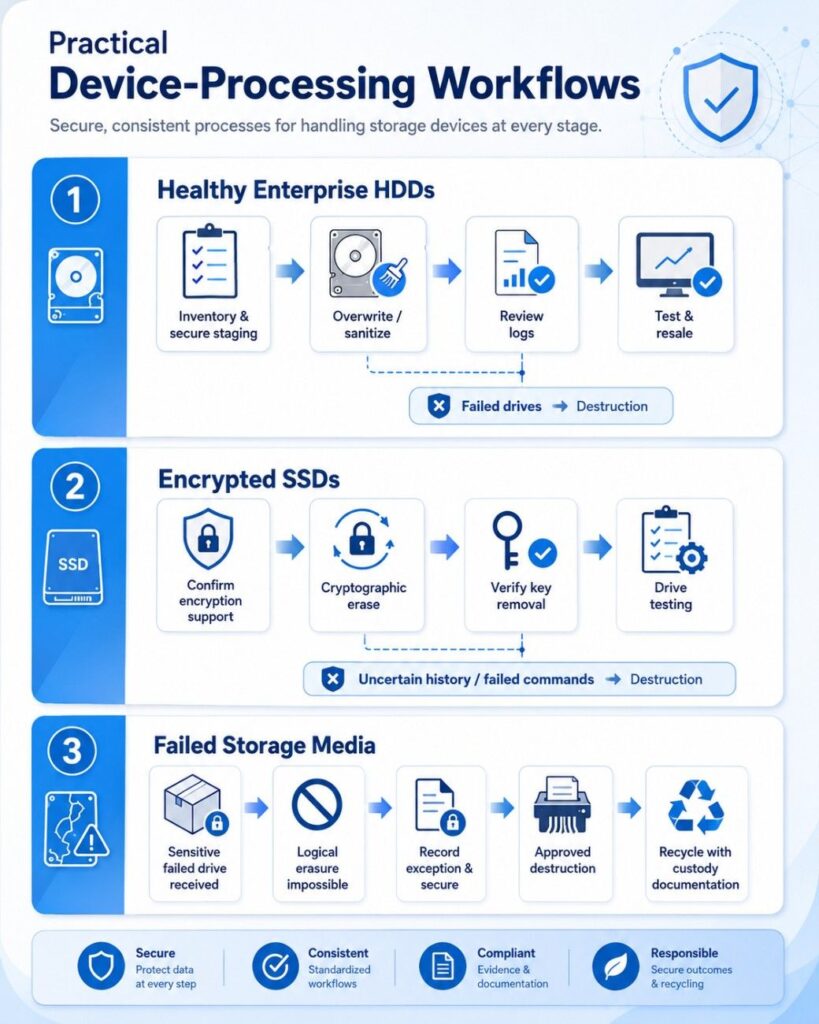
Workflow 1: Healthy Enterprise HDDs
A data center removes healthy HDDs during a server refresh.
The drives are inventoried and placed in secure staging. An approved overwrite or sanitize command is completed. Logs are reviewed, and successful drives move to testing and resale.
Failed drives are isolated and destroyed.
Workflow 2: Encrypted SSDs
A security team receives encrypted SSDs from retired laptops.
The team confirms encryption coverage and supported controller commands. Cryptographic erase is performed, key removal is verified, and the drives are tested.
SSDs with uncertain encryption history or failed commands move to destruction.
Workflow 3: Failed Storage Media
A failed drive arrives with sensitive production data.
The device cannot be detected, so logical erasure is impossible. The drive is recorded as an exception, secured, and destroyed through an approved process.
The resulting material moves to recycling with custody documentation.
How Should Teams Choose a Secure Disposal Method?
Use a risk-based decision process rather than one rule for every device.
Ask five questions:
- What data did the device hold?
- What media technology is involved?
- Is the device healthy and accessible?
- Must the hardware be reused or sold?
- What evidence will an auditor require?
Select the least destructive method that satisfies security and compliance requirements.
Mixed environments may need separate procedures for HDDs, SSDs, tapes, mobile devices, embedded storage, and failed media.
Industry requirements may also affect the decision. Sector-focused IT lifecycle solutions can align disposal controls with operational and regulatory needs.
Final Takeaway
Data sanitization is the complete verified process. Data erasure and physical destruction are methods within that process.
Erasure is usually better for healthy, supported hardware that may be reused or sold. Destruction is necessary when media has failed, sanitization cannot be verified, or policy requires permanent disposal.
The strongest program uses verification, documentation, and exception handling to protect sensitive data while preserving asset value where appropriate.
Need Help Building a Secure Data Sanitization Strategy?
Catalyst Data Solutions Inc helps organizations manage data-bearing equipment through erasure, redeployment, resale, recycling, and physical destruction. As a vendor-agnostic partner, Catalyst develops practical workflows based on media type, device condition, security requirements, audit needs, and the remaining value of each asset.
This approach is useful during data center refreshes, office closures, cloud migrations, lease returns, and large hardware replacement projects. Through structured IT asset disposition support, Catalyst helps teams protect sensitive data, maintain chain of custody, document sanitization results, and recover value from reusable equipment.
Frequently Asked Questions
1. What is the main difference between data erasure and data destruction?
Data erasure removes data while keeping the device usable. Data destruction physically damages the storage media so it cannot be reused.
2. Is deleting files or formatting a drive enough?
No. Deleting files or formatting a drive does not reliably remove all stored data. A verified sanitization method is required.
3. Can SSDs be securely erased?
Yes, but standard overwriting may not reach every memory area. SSDs should use supported sanitize commands, block erase, cryptographic erase, or physical destruction.
4. When should a drive be physically destroyed?
A drive should be destroyed when it is failed, inaccessible, unsupported, subject to strict policy, or unable to complete verified erasure.
5. Which method is best for resale or reuse?
Verified data erasure is usually best because it protects sensitive information while preserving the hardware for testing, redeployment, or resale.