


Choosing between the HPE 881457-B21 and HPE 872479-B21 is not just about picking the drive with more capacity. In a ProLiant environment, the better option depends on the workload. Will the server handle virtualization, database activity, boot volumes, backup storage, or a hybrid setup? For IT managers, system administrators, storage teams, and procurement buyers, that choice affects storage density, RAID planning, uptime, and long-term cost.
Both drives are built for enterprise use, with 10K RPM speed, 12Gb/s SAS connectivity, a 2.5-inch form factor, HPE Smart Carrier support, and Digitally Signed Firmware. The key difference is practical fit. The 881457-B21 gives more capacity per bay, while the 872479-B21 is often the better match for boot tiers, active server roles, and tighter storage layouts.
Key Takeaways
- HPE 881457-B21 offers 2.4TB capacity, making it better for higher storage density in ProLiant server bays.
- HPE 872479-B21 provides 1.2TB capacity, fitting boot volumes, active workloads, and smaller RAID groups more efficiently.
- Both drives use 12Gb/s SAS, 10K RPM, Smart Carrier, and Digitally Signed Firmware for enterprise performance and reliability.
- Choose based on workload priority: higher capacity per bay or more controlled capacity for system and performance tiers.
Product Overview & Positioning
HPE 881457-B21 – High-Capacity Mission Critical Drive
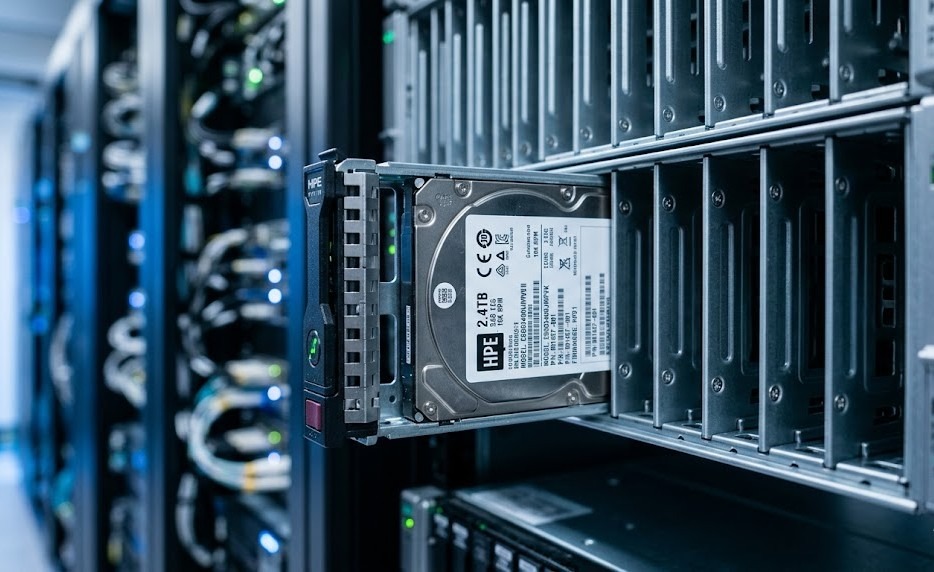
The HPE 881457-B21 is a 2.4TB, 10K RPM, 12Gb/s SAS small form factor enterprise HDD designed for mission-critical workloads in HPE ProLiant Gen9 and Gen10 servers. Its biggest strength is storage density. It gives administrators more capacity in the same 2.5-inch footprint, which helps reduce bay usage and supports better expansion planning.
This drive is a strong fit for:
- Application servers with growing local storage demand
- Capacity tiers in hybrid storage systems
- Scale-out data nodes
- Backup and archive environments
- Virtualization hosts that need more usable storage per slot
In many storage upgrade plans, this model makes sense when capacity efficiency is more important than keeping each drive smaller.
HPE 872479-B21 – Performance-Oriented Enterprise Drive
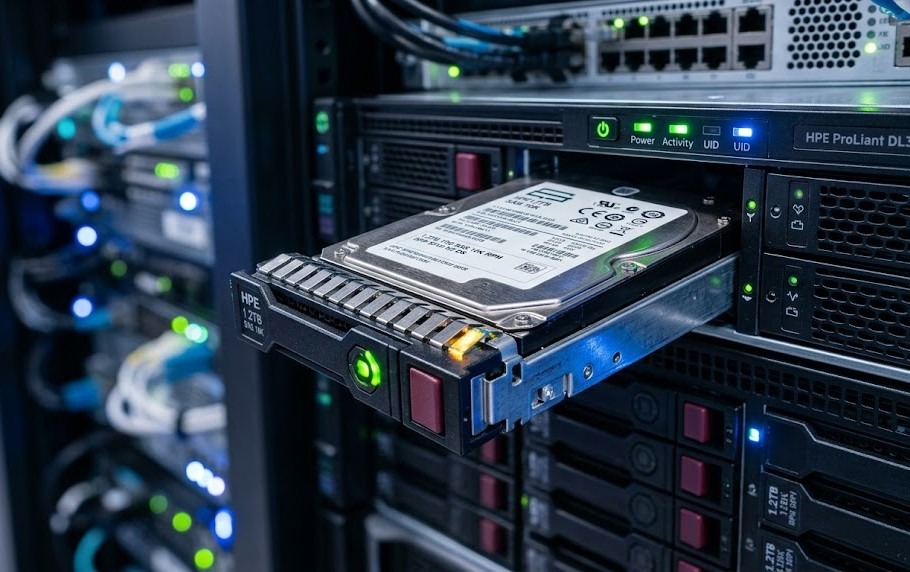
The HPE 872479-B21 is a 1.2TB, 10K RPM, 12Gb/s SAS 2.5-inch enterprise HDD built for reliable performance in HPE ProLiant Gen9 and Gen10 servers. It offers a more balanced capacity point, which is useful in server roles where access speed, boot support, and RAID flexibility matter more than maximum per-drive capacity.
This drive is often selected for:
- OS and boot volumes
- Database support tiers
- Transaction-heavy server roles
- Log storage and system partitions
- Smaller enterprise RAID groups
For direct product sourcing, the 1.2TB SAS drive aligns well with buyers who need enterprise HDD performance without oversizing capacity.
Key Specifications Comparison
Capacity, RPM, and Interface Analysis
At a high level, both drives share the same enterprise class foundation. They both use the 12Gb/s SAS interface, spin at 10,000 RPM, and fit into 2.5-inch SFF bays. The main difference is capacity. The HPE 881457-B21 provides 2.4TB, while the HPE 872479-B21 provides 1.2TB.
That difference affects deployment in a few important ways:
- The 2.4TB drive improves storage density per bay
- The 1.2TB drive supports tighter right-sizing
- Both benefit from enterprise SAS throughput
- Both remain relevant in performance-sensitive server environments
A useful performance point is that 12Gb/s SAS delivers up to 2x the interface bandwidth of 6Gb/s SAS. That does not mean a spinning HDD will fully saturate the link in every workload, but it does help support controller bandwidth, multi-drive performance, and modern enterprise backplanes.
The 2.4TB drive option is more attractive when storage density is the priority. The 1.2TB model is often the better operational fit when teams want more controlled capacity sizing.
Form Factor & Smart Carrier Features
Both models use a 2.5-inch small form factor, which is ideal for dense rack servers and blade platforms. That allows more drives to fit within a compact chassis, which is useful in data center environments where front-bay count and airflow design matter.
They also include HPE Smart Carrier support, which adds practical service benefits:
- Hot-swap capability for live maintenance
- LED status indicators for drive state
- A do-not-remove light to reduce handling mistakes
- Better service visibility during replacement events
These are not small conveniences. In enterprise systems, service accuracy directly affects uptime.
Compatibility with ProLiant Gen9/Gen10 Servers
Both drives are designed for HPE ProLiant Gen9 and Gen10 servers. They are commonly matched with platforms such as:
- ProLiant DL380 Gen10
- ProLiant DL360 Gen10
- ProLiant ML350
- ProLiant BL460c
That makes them practical options across a wide range of server roles, including compact rack systems like the DL360 Gen10 server, where density and serviceability are both important.
Core Specification Comparison Table
| Specification | HPE 881457-B21 | HPE 872479-B21 |
| Capacity | 2.4TB | 1.2TB |
| Interface | SAS 12Gb/s | SAS 12Gb/s |
| Spindle Speed | 10K RPM | 10K RPM |
| Form Factor | 2.5-inch SFF | 2.5-inch SFF |
| Drive Class | Mission Critical Enterprise | Enterprise |
| Firmware | Digitally Signed | Digitally Signed |
| Carrier | HPE Smart Carrier | HPE Smart Carrier |
| Hot-Swap Support | Yes | Yes |
| Server Compatibility | HPE ProLiant Gen9/Gen10 | HPE ProLiant Gen9/Gen10 |
| Best Fit | Capacity-focused workloads | Boot and performance-balanced workloads |
Performance Benchmark Analysis
Throughput & IOPS Differences
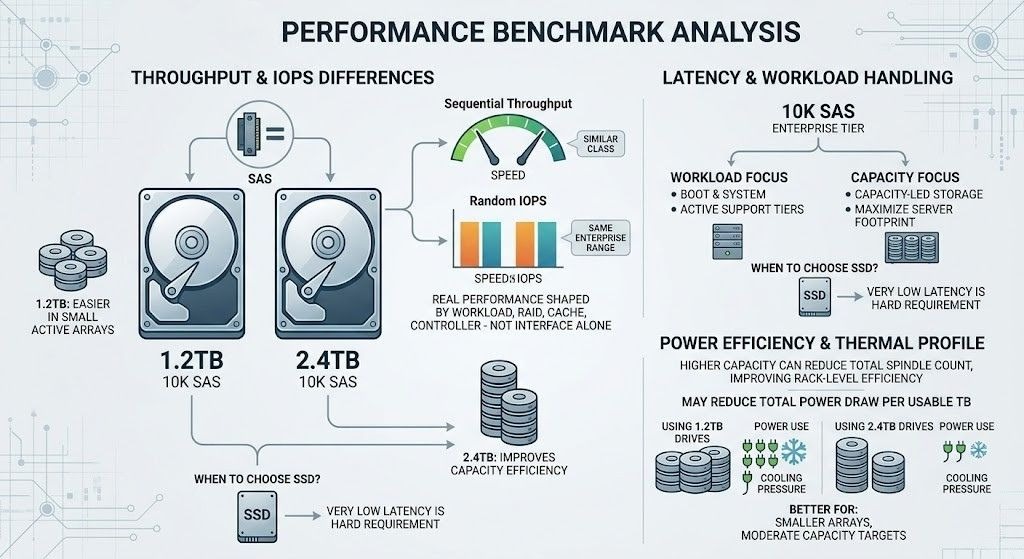
Because both drives use the same SAS generation and spindle speed, their raw performance class is similar. In real environments, performance differences are shaped more by workload type, RAID design, cache behavior, and controller configuration than by interface alone.
In general:
- Sequential throughput is similar across the same 10K SAS class
- Random IOPS stay within a similar enterprise HDD range
- The 1.2TB model is often easier to deploy in smaller active arrays
- The 2.4TB model improves capacity efficiency with fewer disks
That means the real choice is not about one drive being universally faster. It is about whether the workload benefits more from storage density or from smaller-capacity deployment logic.
Latency and Workload Handling
Both models sit in the 10K SAS enterprise tier, which remains a solid choice for mixed server workloads. They are suitable for application storage, database support, virtualization clusters, and hybrid storage layers where SSD is not required for every tier.
A practical workload view looks like this:
- Choose the 1.2TB model for boot, system, and active support tiers
- Choose the 2.4TB model for capacity-led storage inside the same server footprint
- Choose SSD when very low latency is a hard requirement
Power Efficiency & Thermal Profile
Power use is not only about each individual drive. It is also about how many drives are needed to reach the storage target. A higher-capacity disk can reduce total spindle count, which can improve rack-level efficiency.
This often leads to the following result:
- The 2.4TB model may reduce total power draw per usable TB
- The 1.2TB model may be better for smaller arrays with moderate capacity targets
- Fewer total disks usually means less cooling pressure
Performance Benchmark Table (IOPS, Throughput, Power)
| Metric | HPE 881457-B21 | HPE 872479-B21 | Practical Takeaway |
| Interface Speed | 12Gb/s SAS | 12Gb/s SAS | Both support modern enterprise SAS backplanes |
| Random IOPS Profile | Strong for 10K HDD class | Strong for 10K HDD class | Similar performance tier |
| Sequential Throughput | High for enterprise HDD | High for enterprise HDD | Workload design matters more than spec alone |
| Latency Class | Standard 10K SAS | Standard 10K SAS | Better than slower HDD tiers, below SSD |
| Power per Usable TB | Better at scale | Lower capacity efficiency | 2.4TB can reduce spindle count |
| Thermal Impact per Usable TB | Better in dense deployments | Can require more disks for same total capacity | 2.4TB supports denser storage planning |
Enterprise Features & Reliability
Digitally Signed Firmware & Security Benefits
Both drives use HPE Digitally Signed Firmware. This helps verify that firmware comes from a trusted source, reducing the risk of unauthorized or altered firmware in enterprise systems. That matters for businesses that treat storage security as part of platform integrity.
This feature is especially relevant in:
- Regulated environments
- Business-critical application servers
- Multi-site enterprise infrastructure
- Long-life server deployments
Smart Carrier & Hot-Swap Capabilities
HPE Smart Carrier design improves service operations in live systems. It helps administrators and data center technicians identify drive state quickly and replace disks more safely during maintenance.
Benefits include:
- Fast hot-swap replacement
- Better drive status visibility
- Lower risk of accidental removal
- Easier support in dense server chassis
These practical features support stable day-to-day operations across enterprise storage environments where uptime and service precision matter.
Testing Hours, MTBF & Error Handling
HPE enterprise hard drives are backed by over 3.35 million hours of testing and qualification. That testing history supports the reliability case for both models. It also shows why these drives continue to be trusted for enterprise use rather than light-duty server roles.
Both models are also built for:
- Enterprise error correction behavior
- Compatibility with HPE Smart Array controllers
- Pre-failure visibility in managed server environments
- Sustained duty cycles under data center workloads
Reliability & Enterprise Feature Comparison
| Enterprise Feature | HPE 881457-B21 | HPE 872479-B21 |
| Digitally Signed Firmware | Yes | Yes |
| HPE Smart Carrier | Yes | Yes |
| Hot-Swap Support | Yes | Yes |
| Enterprise Error Handling | Yes | Yes |
| HPE Smart Array Support | Yes | Yes |
| Qualification Standard | Backed by extensive HPE testing | Backed by extensive HPE testing |
| Reliability Positioning | Mission-critical storage | Enterprise performance storage |
Use Case-Based Comparison
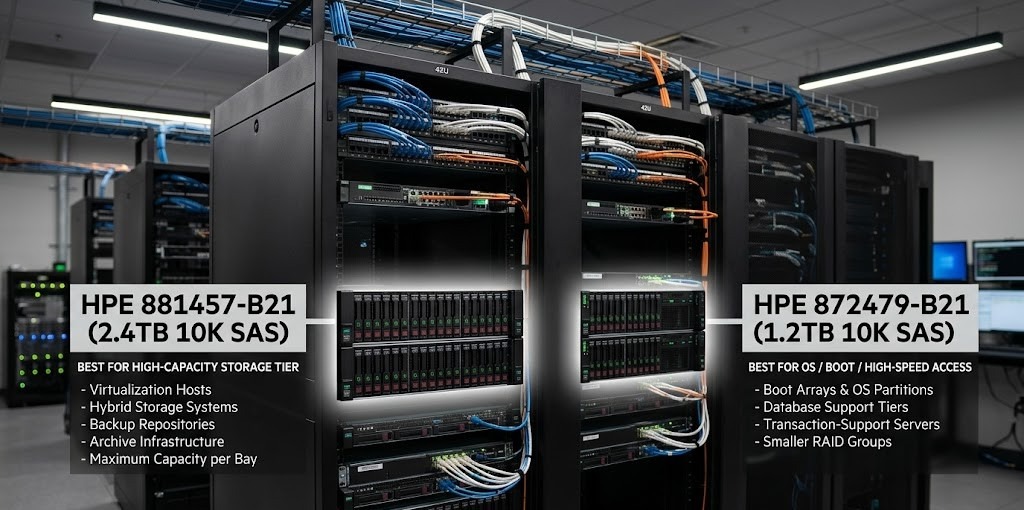
Best for High-Capacity Storage (2.4TB Tier)
The HPE 881457-B21 is the better fit when the goal is higher capacity per drive bay. It works well in:
- Virtualization hosts
- Hybrid storage systems
- Capacity tiers in application servers
- Backup repositories
- Archive-focused enterprise infrastructure
This is the model to choose when fewer drives need to hold more data.
Best for OS / Boot / High-Speed Access (1.2TB Tier)
The HPE 872479-B21 is often the more practical option for roles where capacity demand is moderate but enterprise responsiveness and right-sized storage are important.
It fits well in:
- Boot arrays
- Operating system partitions
- Database support tiers
- Transaction-support servers
- Smaller RAID groups with active workloads
Suitability for Data Centers, Virtualization & HPC
Both drives are suitable for enterprise deployment, including data centers, virtualization clusters, and infrastructure that supports analytics or compute-heavy workflows. The best choice depends on whether the storage layer is more capacity-led or access-led.
A simple split looks like this:
- 881457-B21: better for higher-density storage planning
- 872479-B21: better for active support tiers and controlled RAID sizing
- Both: viable for traditional enterprise compute and storage roles
This matters in environments connected to broader data storage strategies and even compute-adjacent platforms influenced by AI infrastructure planning.
Competitor & Nearest Product Comparison
HPE 872481-B21 (1.8TB 10K SAS) – Mid-Tier Alternative
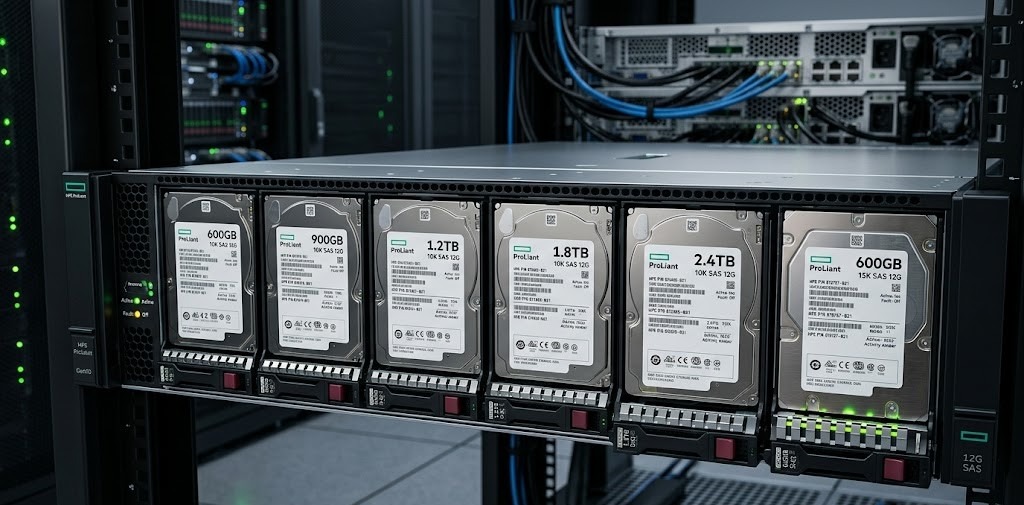
The HPE 872481-B21 sits between these two models with 1.8TB of capacity. It can be a useful middle option when 1.2TB is too limited and 2.4TB adds more capacity than needed.
HPE 600GB / 900GB 10K SAS – Performance Tier Comparison
600GB and 900GB 10K SAS drives are still relevant in some older or highly specific deployments. They can fit active tiers that need smaller RAID groups or legacy compatibility, but they are much less efficient in terms of storage density.
15K SAS Drives vs 10K SAS – Speed vs Capacity Trade-off
15K SAS drives offer faster random access and lower latency than 10K models, but they usually come with lower capacity and a different cost profile. In most modern ProLiant environments, 10K SAS remains the better balance for general-purpose enterprise HDD storage.
Nearest Product Comparison Table (Capacity Tier vs Performance Tier)
| Model | Capacity | RPM | Positioning | Best Use |
| HPE 872479-B21 | 1.2TB | 10K | Performance-balanced | Boot, OS, active tiers |
| HPE 872481-B21 | 1.8TB | 10K | Mid-tier balance | Mixed server workloads |
| HPE 881457-B21 | 2.4TB | 10K | Capacity-focused | Dense storage, hybrid tiers |
| 600GB / 900GB 10K SAS | 600GB / 900GB | 10K | Smaller active tiers | Legacy layouts, narrow RAID groups |
| 15K SAS options | Lower than high-capacity 10K tiers | 15K | Speed-first | Latency-focused HDD workloads |
Cost Efficiency & Storage Strategy
Cost per TB Analysis
In most enterprise comparisons, the 2.4TB model gives better cost efficiency per TB because it provides more usable storage in the same bay. That can reduce hardware sprawl and support better enclosure planning.
The 1.2TB model is still the smarter choice when:
- Large capacity is unnecessary
- Boot and system roles are the priority
- Smaller RAID group design is preferred
- Capacity control matters more than raw density
Rack Density & Scalability Considerations
Rack density matters when teams need to scale within fixed chassis limits. A higher-capacity drive helps delay future expansion and can reduce the total number of disks required to hit storage targets.
That can improve:
- Bay efficiency
- Cable and controller planning
- Spare strategy
- Future growth flexibility
TCO (Total Cost of Ownership) Factors
Total cost of ownership includes more than purchase price. It also includes:
- Number of disks required
- Power and cooling demand
- Bay usage
- Maintenance effort
- Spare inventory planning
- Rebuild and replacement impact
The 881457-B21 often performs better in footprint efficiency. The 872479-B21 often performs better in right-sized deployment efficiency for active system roles.
Cost Efficiency & TCO Comparison Table
| TCO Factor | HPE 881457-B21 | HPE 872479-B21 |
| Cost per TB | Typically stronger | Typically higher |
| Drive Bay Efficiency | Better | Lower |
| Scaling to Larger Capacity | Easier | Requires more drives |
| Boot / OS Right-Sizing | Can be oversized | Better fit |
| Power per Usable Capacity | Stronger at scale | Less efficient for same storage target |
| Spare Planning Simplicity | Fewer drives possible | More units may be needed |
Pros and Cons Analysis
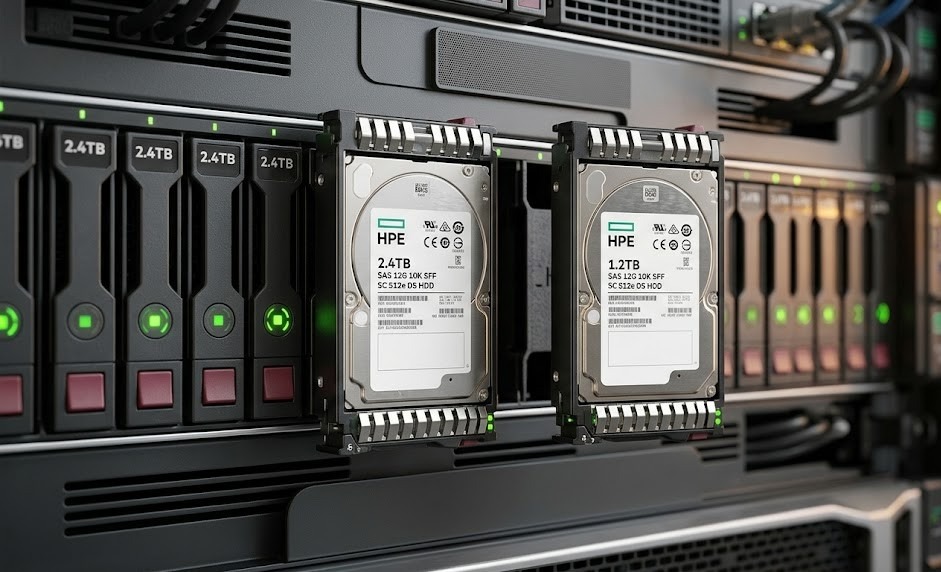
HPE 881457-B21 Advantages & Limitations
Advantages
- Higher 2.4TB capacity per drive
- Better storage density per bay
- Strong fit for hybrid and capacity-focused tiers
- Enterprise security and Smart Carrier support
- Good long-term scaling potential
Limitations
- May be more capacity than boot tiers need
- Not a replacement for SSD in low-latency workloads
- Larger-capacity drives can affect rebuild planning in some RAID designs
HPE 872479-B21 Advantages & Limitations
Advantages
- Well suited for boot and operating system roles
- Balanced capacity for active server workloads
- Strong 10K SAS enterprise performance
- Good fit for smaller RAID groups
- Compatible with common ProLiant Gen9 and Gen10 platforms
Limitations
- Lower capacity per slot
- More drives may be needed for larger storage targets
- Less efficient for capacity-heavy infrastructure
Which HDD Should You Choose?
When to Choose 2.4TB Model
Choose the HPE 881457-B21 when:
- You need more storage per drive bay
- Rack density is important
- The workload is capacity-heavy
- You want fewer disks for the same target capacity
- Long-term storage expansion is part of the plan
When to Choose 1.2TB Model
Choose the HPE 872479-B21 when:
- The drive is intended for boot or OS use
- The server needs balanced enterprise performance
- Capacity requirements are moderate
- Smaller RAID groups are preferred
- The deployment needs tighter capacity control
Decision Matrix Based on Workload
- Boot / OS / system volume: 872479-B21
- Capacity-heavy application server: 881457-B21
- Hybrid array capacity tier: 881457-B21
- Database support and log storage: 872479-B21
- Virtualization host with growth needs: 881457-B21
- Right-sized enterprise server build: 872479-B21
Need Reliable Enterprise HDDs for Your ProLiant Servers?
Looking to upgrade or scale your HPE ProLiant storage with the right enterprise HDD? Catalyst Data Solutions Inc can help you select, source, and deploy the most cost-effective HPE SAS drives tailored to your workload and infrastructure.
FAQs
What is the difference between 2.4TB and 1.2TB SAS drives in enterprise servers?
The main difference is storage density. A 2.4TB drive gives more capacity per slot, while a 1.2TB drive is often easier to use for boot tiers, smaller RAID groups, and workloads that do not need as much raw capacity.
Which HDD is better for ProLiant DL380 Gen10 servers?
It depends on the workload. For denser storage and higher per-bay capacity, the 881457-B21 is the better fit. For boot, OS, and balanced active workloads, the 872479-B21 is often the more practical option.
Is 10K RPM sufficient for database workloads?
Yes, for many traditional enterprise database workloads, 10K SAS drives are still suitable. They offer solid reliability and good performance for HDD-based tiers. However, highly latency-sensitive databases may benefit more from SSD.
Are these drives suitable for RAID configurations?
Yes. Both drives are designed for enterprise deployment and are suitable for RAID configurations in HPE ProLiant environments. The right RAID level depends on workload, fault tolerance, and performance needs.
What is Digitally Signed Firmware in HPE drives?
Digitally Signed Firmware is a security feature that helps verify that the firmware on the drive comes from a trusted source. It reduces the risk of unauthorized firmware in the storage environment.
Which is more cost-efficient: higher capacity or more drives?
Higher capacity often improves cost per TB, bay efficiency, and rack density. More drives can still make sense when RAID design, workload segmentation, or performance layout is the bigger priority.